
Empowering, demystifying, efficient accessibility auditing
Auditing / manual testing features are available in all plans as this is a core feature.
Here are some of the main advantages of using Accessibility Cloud to conduct digital accessibility audits.
Differentiating & unique features
Following list contains differentiating and unique features of working with accessibility audits in Accessibility Cloud.
- Complete support for EN 301 549, including different test mediums
- Choose between live audits that updates themselves or static
- Combine automatic tests, guided tests, and manual tests
- Portable audits: import and export your audit in many formats
- Automatic sample selection
- Generate accessibility statements from the data of your audit
- Custom everything (test rules, outcomes, reports, and more)
- Many guidelines, standards and legal requirements
Generic features
Following list contains generic features of working with accessibility audits in Accessibility Cloud.
- Audits are compatible with WCAG-EM methodology
- Audits can be made read-only or hidden
- Deleted audits can be undeleted
- Audits can be versioned
- Support for multiple auditors
- Realtime preview
- Markdown authoring with visual editor
- Support for multi-lingual audits
EN 301 549. Made easy. Or at least, easier.
Accessibility Cloud offers the easiest way for understanding what needs to be tested for a specific guideline for a specific type of test medium (website, mobile app, software) or ICT.
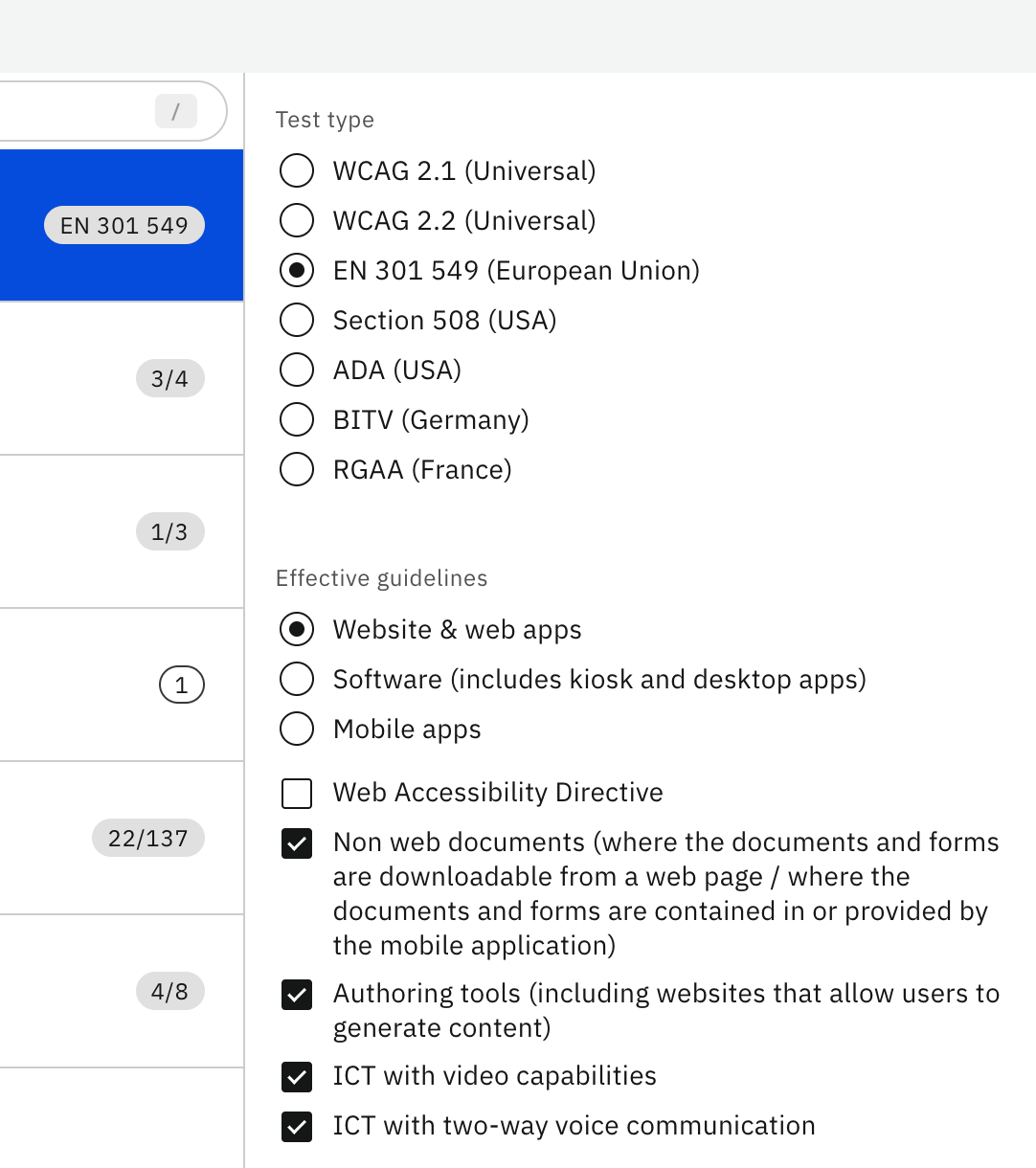
If you are testing a website for EAA compliance, select website & web apps. The selection of success criteria will be equal to Table A.1 of Annex A of EN 301 549.
If it is a mobile app, select mobile app and the same thing will happen again, but the selected success criteria will be equal to Table A.2 for mobile apps.
You can further drill down for selecting what to include/exclude from conditionals. As you make your selections, watch how Accessibility Cloud processes your selections and uses your site’s information to create your audit, which will be ready for your review and modifications.
For EN 301 549, Accessibility Cloud supports testing for websites, web apps, software, and mobile apps. For each of these test mediums, Accessibility Cloud offers further drill down capability for conditional success criteria selection based on what is being tested:
- Non web documents
- Authoring tools
- ICT with video capabilities
- ICT with two-way voice communication
Extra test rules (mainly for public sector actors) related to accessibility statements in relation to Web Accessibility Directive are also offered.
Some of the things you can learn in 40 seconds (video above):
- Automatically assisted auditing features could be very helpful in documenting accessibility errors the automatic tests uncovered.
- EN 301 549 has 137 success criteria for websites, some of which can be unselected based on what is being tested.
- For mobile applications, the number of success criteria that requires testing is 162 in EN 301 549.
Information sources
Work smarter, not harder
Let automation test what it can. For one, or one thousand pages. Cover the rest of what needs to be tested with guided testing or manual tests with detailed testing instructions.
Combine all information sources with a single click on Accessibility Cloud to watch your audit come to life.
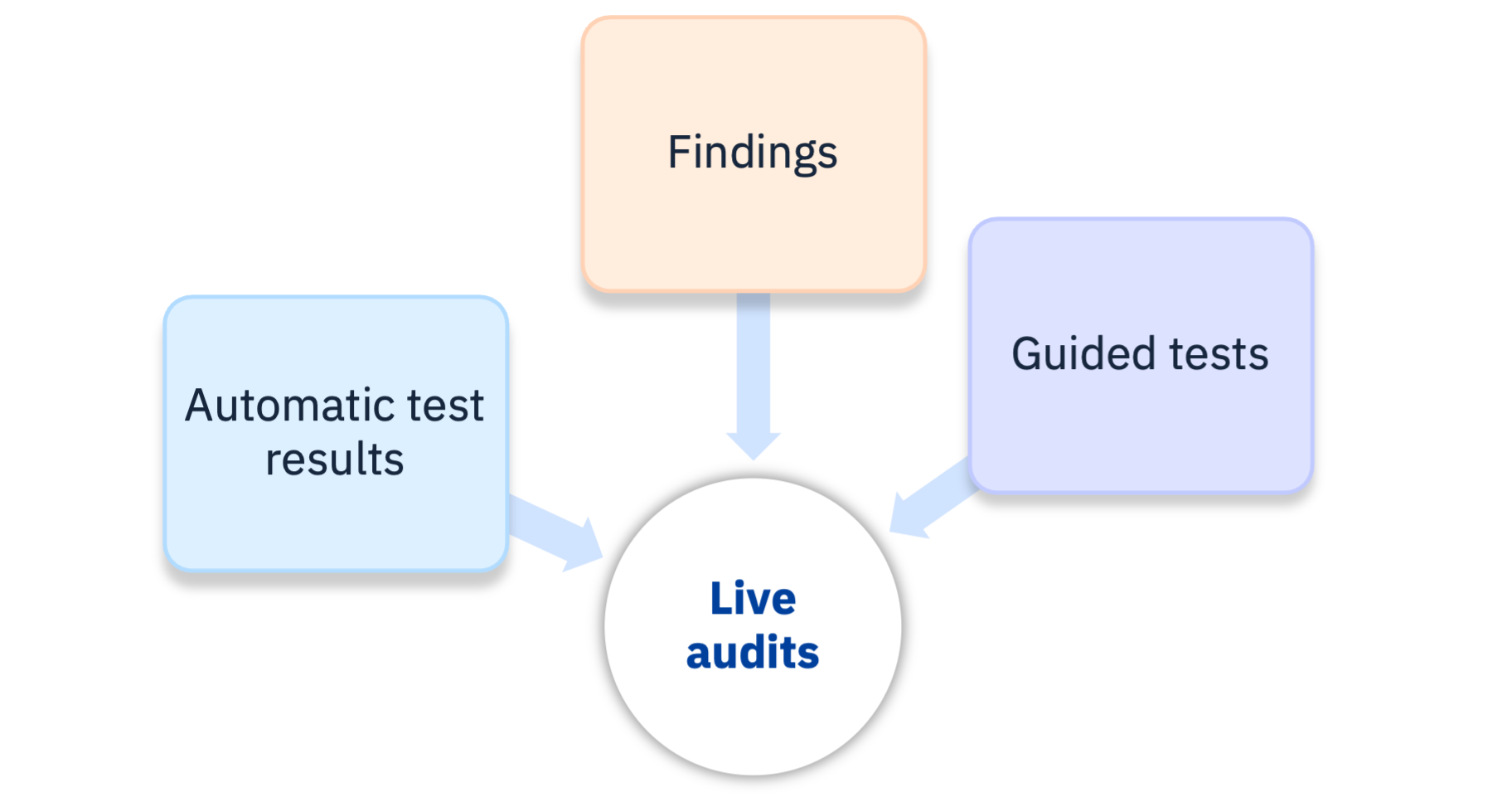
Information sources allow including test results from other sources to your audit. This is a great and innovative way to work with accessibility audits as it enables many benefits, including live audits.
Information sources which can be selected to your audits:
- Automatic test results from Accessibility Cloud’s automatic tests
- Findings (library of individual accessibility defects you documented)
- Guided tests
Once activated, the results of these sources are automatically processed, violations are documented, linked and included in your audit reports.
Some of the things you can learn in 90 seconds (video above):
- Automatic test results can help with your audit with details you might miss since the automation will cover many pages
- Accessibility Cloud shows you which automatic tests are passed but when it comes to marking corresponding success criteria, they go as “Cannot tell”. All automatic accessibility tests done by any technology have partial coverage over relevant success criteria and tools can just be wrong. Auditors / testers have control and final say over what gets registered as “Passed” or “Failed”, as it should be.
- If you document the defects as individual findings, your audit will take significantly less time, plus, findings will give you a lot of side benefits.
- Audits can be created by utilizing one or more information sources and Accessibility Cloud manages relationships between engines, testing tools, data formats and associations of everything to each guideline.
Findings
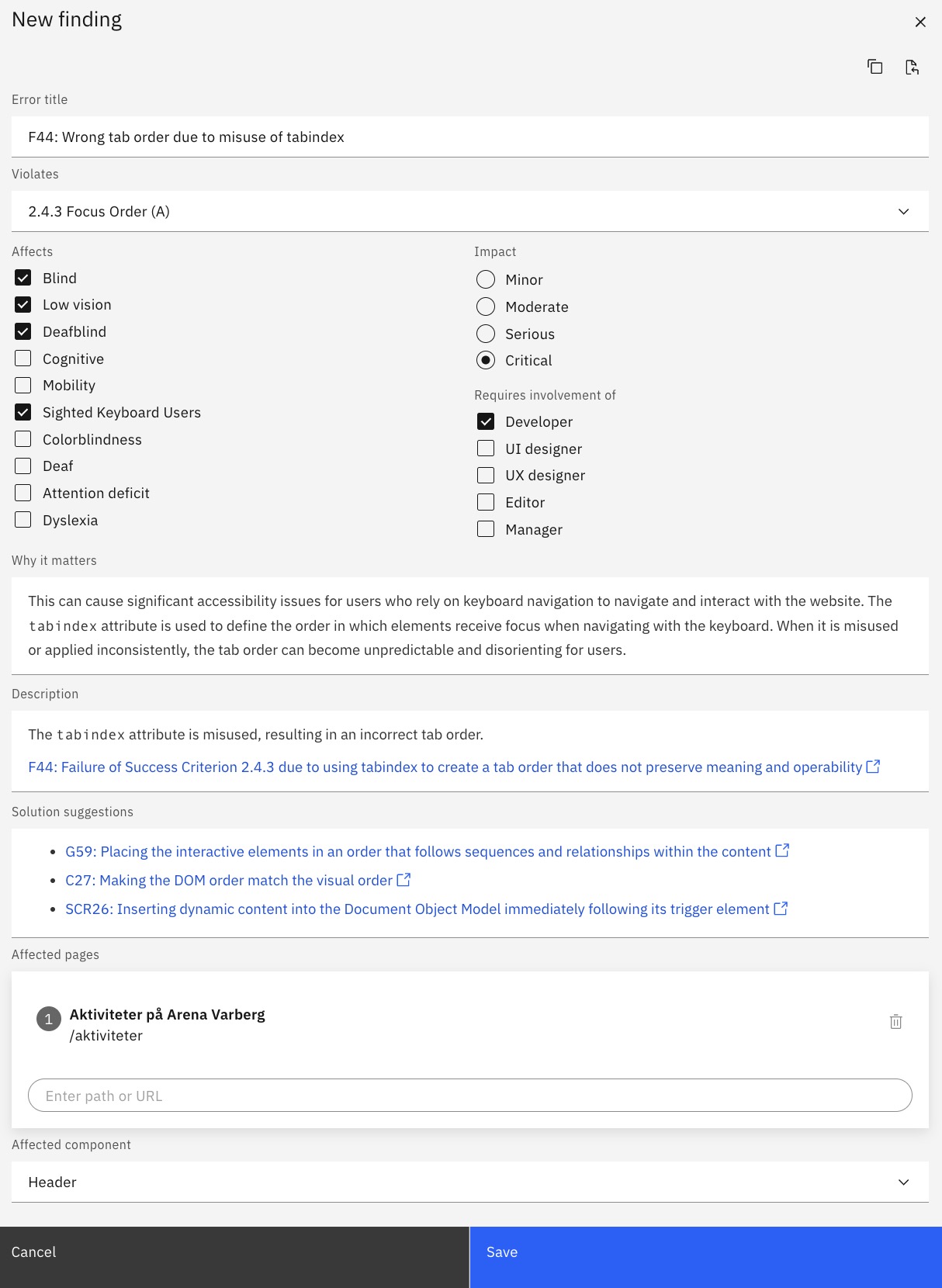
Findings feature is the backbone for manual accessibility tests. Findings can be created manually, or from automated test results or intelligent guided test results.
Findings come with Accessibility Cloud’s purpose-built snippet library that is connected to WCAG techniques for failures and their solution suggestions which allows an accelerated authoring process for your manual tests and audits.
- Can be created manually or from other sources, including automatic test results and intelligent guided tests
- Can be imported to accessibility audits
- Can be exported to Excel
- Can be shared with Jira, GitHub, Zapier and others
- Can be used as a backlog for accessibility defects, supporting a workflow between accessibility defects, to bug trackers and back to Accessibility Cloud for further testing
- Connected to WCAG techniques and WCAG success criteria
- Associated with pages and/or components
- Can be copied and pasted between site instances
- Provides guidance for which disability groups being affected, the user impact and the roles require to be involved in remediation, for each individual finding
Intelligent guided testing
Accessibility Cloud currently supports intelligent guided tests from Microsoft’s Accessibility Insights for Web.
What is an intelligent guided test?
Intelligent guided tests are used to report accessibility problems by asking testers a series of simple questions about the page being tested and highlighting components and their values. Testing tools that offer intelligent guided tests build test reports based on those answers. Intelligent guided tests allow accessibility errors to be caught efficiently without requiring accessibility expertise.
Live audits
Since information sources are different data points elsewhere in Accessibility Cloud, their statuses can also be reflected to your audits in real-time, if you prefer. This introduces the possibility of having a live audit, which updates itself as the problems of the site get remediated and when you mark individual findings as resolved. Corresponding violations will be removed from your reports as they get resolved, making your accessibility audit report a live one, always showing the correct conformance level.
Here are three examples, one for each information source:
- Automatic test results changing a live audit
Remediation is successful and the monitoring revealed that the accessibility error documented on your audit is fixed. It disappears from your live audit after your review. - Findings changing a live audit
Remediation is successful and you tested the defect for accessibility. You mark the finding as resolved and it disappears from your live audit. - Guided tests changing a live audit
You made an update to your previous guided test. The defects from your previous version are no longer there. Violations associated disappear from your live audit.
Static audits
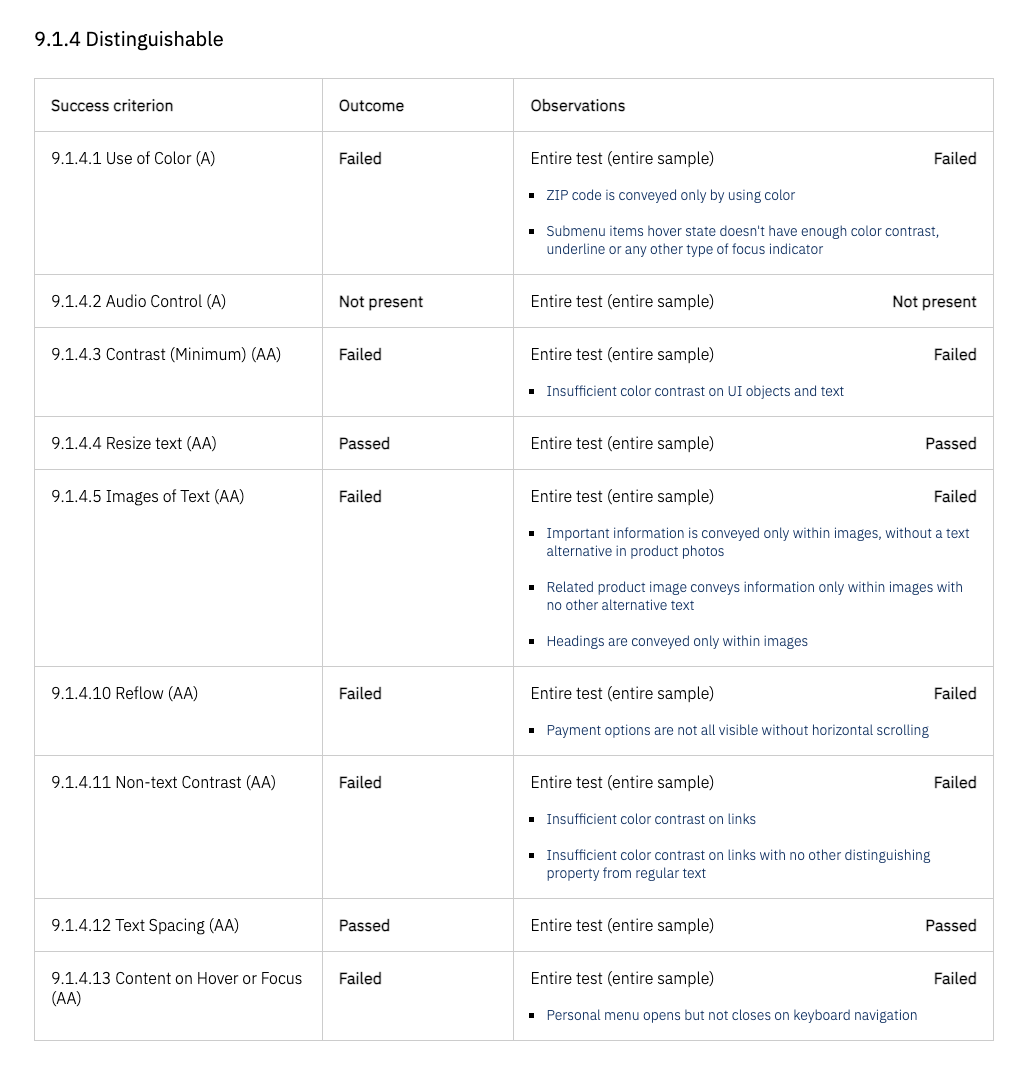
Needless to say, for those who prefer traditional, static audits / test reports, that’s also available. Static audits / manual tests are locked in time and they don’t get updated automatically. This is called finalization in Accessibility Cloud. This option can be found on the audit report.
Guidelines / standards supported
By using Accessibility Cloud, you can test for the following standards, guidelines, and legal requirements:
- WCAG 2.1
- With or without AAA success criteria
- WCAG 2.2
- With or without AAA success criteria
- EN 301 549
- Website & web apps
- Software (includes kiosk and desktop apps)
- Mobile apps
- BITV
- With or without WCAG 2.2
- Section 508
- ADA (exactly the same as WCAG testing, this is just for reporting purposes)
- RGAA
Audits as portable data (import, export, API access, transfers to remote storage systems)
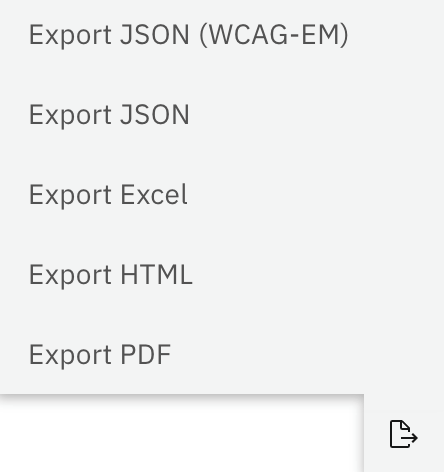
In general, everything everywhere in Accessibility Cloud is exportable and audits are no exception! Formats supported for audits / manual tests:
Import and export:
- JSON
- WCAG-EM compatible JSON
Export:
- Excel (XLSX)
- HTML
API calls and transfers to remote repositories
Enterprise Edition and Monitoring Agency Edition also support retrieving audits via API calls and automatically transfer them to remote repositories.
Automatic sample selection
Accessibility Cloud crawls and tests your entire site, or a great number of pages, by default, unless you stop this behavior. This paves the way for automatic sample selection for audits / manual tests. Accessibility Cloud uses the following parameters in determining which pages are the most important ones and what type of accessibility problems which are discovered in each page and how do these errors correspond to those important pages to determine a meaningful and representative sample selection that is also testable manually.
- Crawling data
- Menu structure
- Accessibility errors discovered
- Error / occurrence densities of each error
- Errors’ relationship with pages
- More
Testing instructions
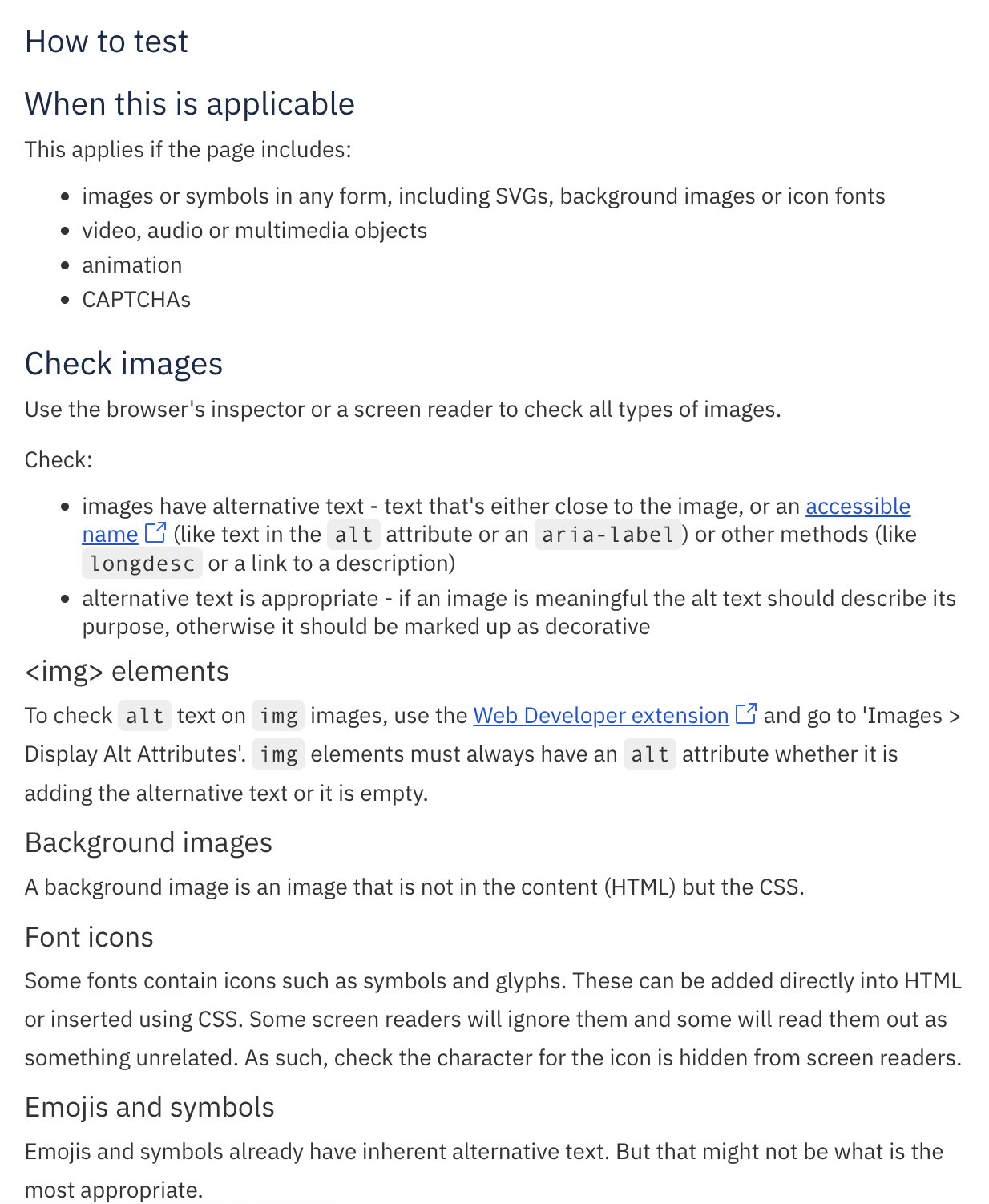
Accessibility Cloud offers detailed manual testing instructions from a great, open-source resource: WCAG Primer
Custom everything
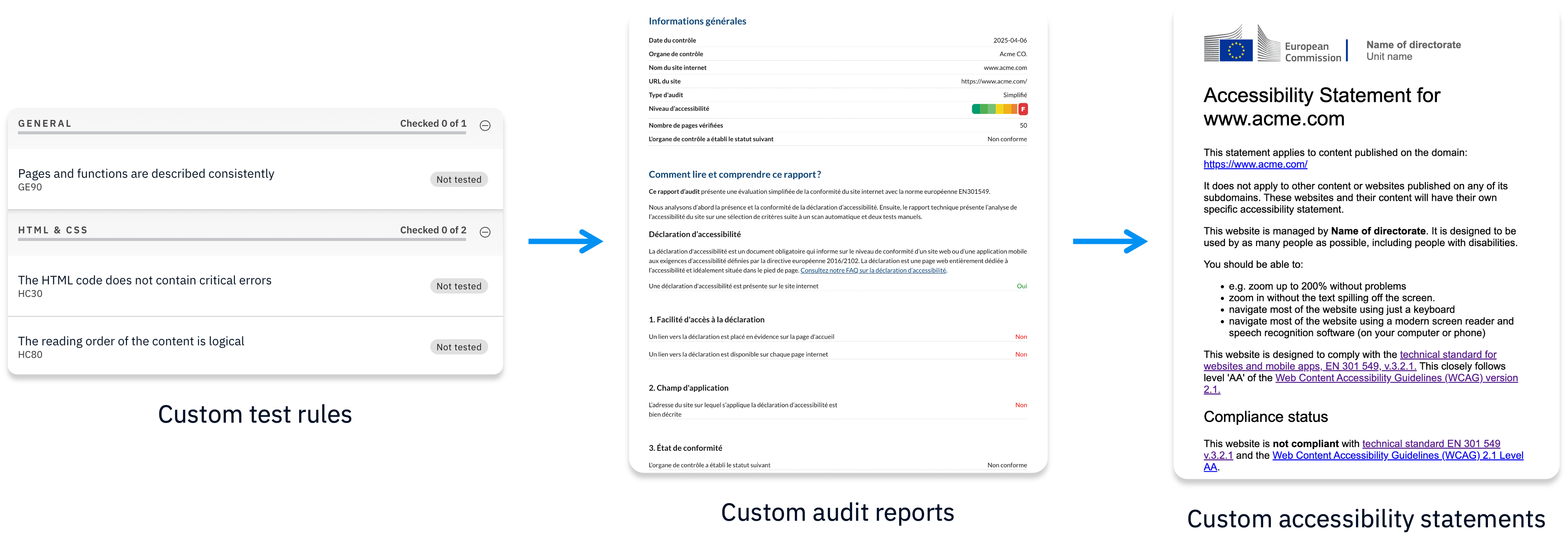
Accessibility Cloud’s advanced editions (Enterprise Edition, Partner Edition, and Monitoring Agency Edition) support complete customizations of all the below:
- Custom test rules (test against your own rules)
- Custom outcomes (passed, failed, yes, no, can be improved, anything)
- Custom report templates
Everything that is customizable also comes with editors that allow modifications by the owners of such content, including all associated information and language variations.
Ready to make your digital experience accessible to everyone?
Take the first step toward a more accessible digital presence. With AI-powered scanning across web, documents, and mobile apps (launching in 2026), human-led auditing, guided remediation tailored to your tech stack, and a global network of accessibility experts, Accessibility Cloud gives you everything you need in one platform.
Want to join the community?
Find us on Discord