
Multiple compliance targets
Set one or more compliance targets for each site, for both automatic and manual tests. Choose the conformance level (AA or AAA) and optionally include accessibility errors that go beyond strict violations. Supported standards include:
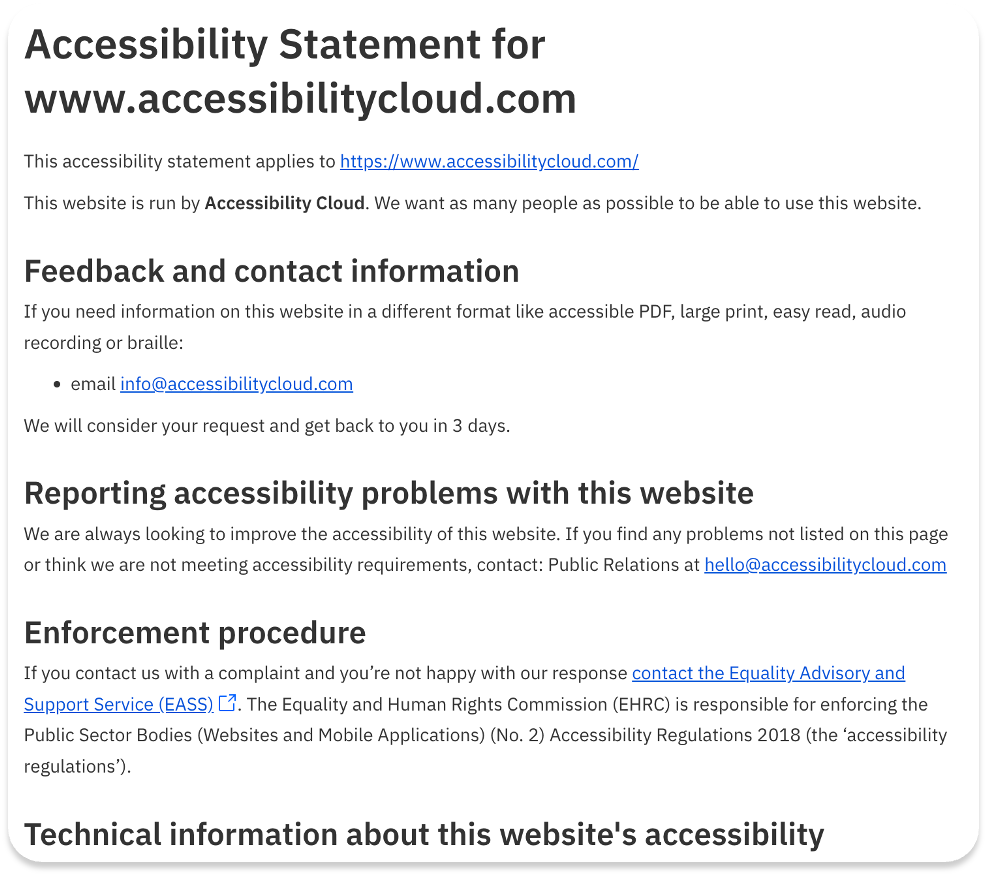
Accessibility statement generation
Accessibility Cloud’s accessibility statements are automatically generated from the manual tests or audits by using all their applicable fields and doing all the necessary adjustments and calculations.
They ensure legal standing of the document by covering all local requirements per country/region and allows customisation. All the expertise required to generate an accessibility statement is now included in your subscription.
Feature highlights:
- Based on manual tests / audits / evaluations
- Specific content for each country & language combination
- Automatic calculation of necessary fields, such as compliance status
- All the necessary fields included, automatically calculated/populated, editable and removable
- Downloadable as HTML
Legal compliance requirement identification of documents
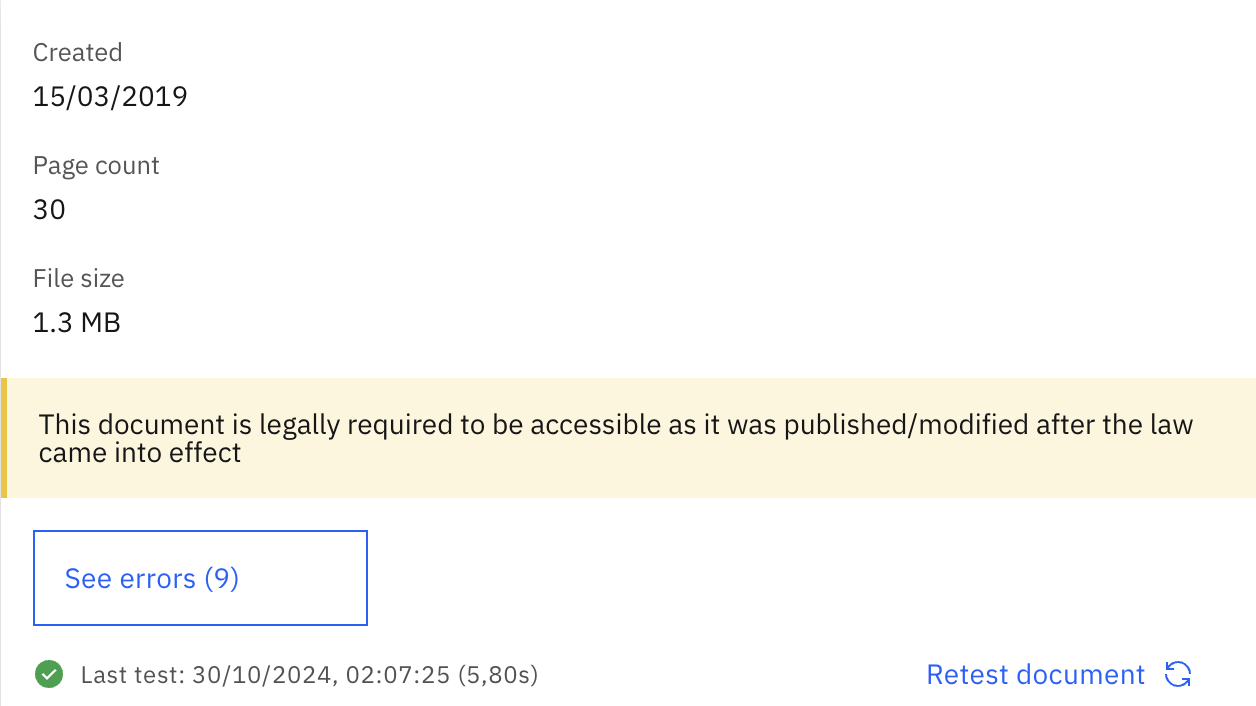
Accessibility Cloud’s document scanning engine can identify legal compliance requirement for each document.
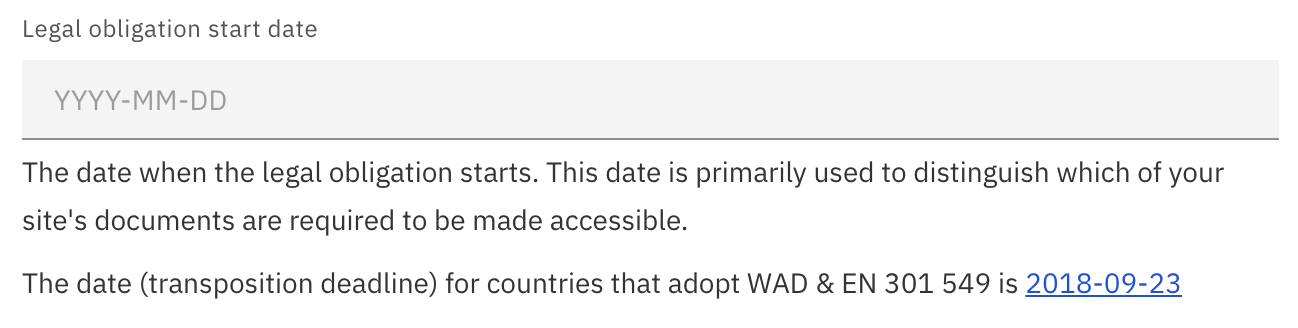
After setting up the ‘Legal obligation start date’ in Compliance Targets on the left menu of your site instance, you will be able to observe which of your documents are legally required to be made accessible.
Set your legal obligation start date to discover which of your documents exposes you to legal risk.
Ready to make your digital experience accessible to everyone?
Take the first step toward a more accessible digital presence. With AI-powered scanning across web, documents, and mobile apps (launching in 2026), human-led auditing, guided remediation tailored to your tech stack, and a global network of accessibility experts, Accessibility Cloud gives you everything you need in one platform.
Want to join the community?
Find us on Discord