

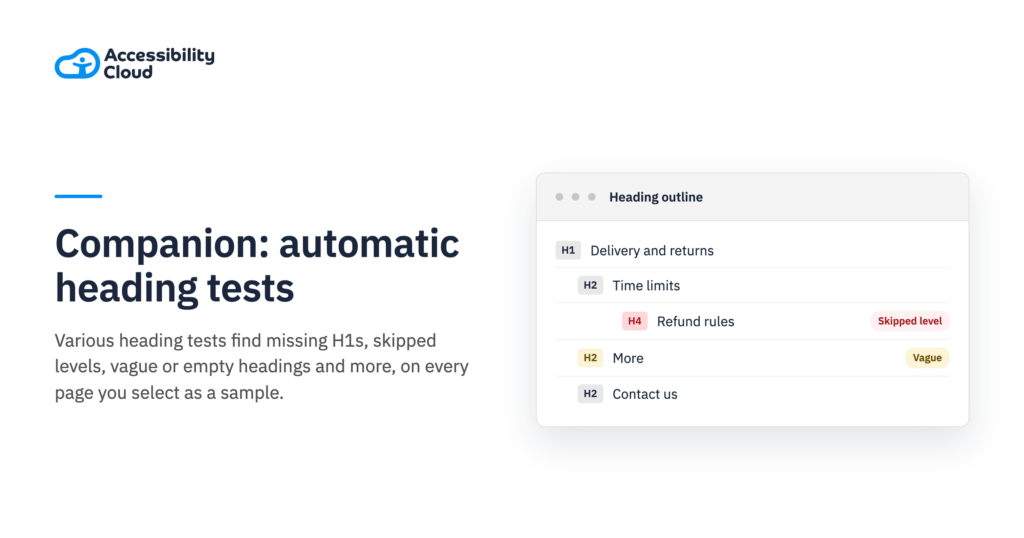
Starting from v1.3.0, Companion offers advanced automatic heading tests. It runs them when you select a page as a sample, so your time goes to the judgement calls. Some tests report an error outright; others flag a heading as needs review. The Heading outline test in the Test tab shows every flag in context. Select a flagged finding to report it as a failure in your audit.
The page’s main heading
Three tests look at the level-one heading.
Companion checks that screen readers hear a named level-one heading, visually hidden or not. Users who navigate by heading level need it to orient themselves. Frames from the same site are read too.
Flagged
- H1missing
- H2Delivery and returns
- H3Time limits
- H3Refunds
Passes
- H1Delivery and returns
- H2Time limits
- H2Refunds
With no h1, screen-reader users have no main heading to start from. Marking the page title as the h1 gives them one. Two or more named level-one headings make it unclear which one names the page. Companion counts the ones screen readers hear, visually hidden ones included.
Flagged
- H1Northwind
- H1Delivery and returns
- H2Refunds
Passes
- H1Delivery and returns
- H2Refunds
Two h1 headings leave it unclear which one names the page. Keeping one h1, for the page title, fixes it. On any page but the home page, Companion flags a level-one heading that is only the logo or the site’s name. Screen-reader users who jump to it would hear the same name on every page.
Flagged
Delivery and returns
<h2>Heading list
- H1Northwind
- H2Delivery and returns
Passes
Delivery and returns
<h1>Heading list
- H1Delivery and returns
With the logo as the h1, every page has the same main heading. Making the page title the h1 names this page.
Heading levels and order
Six tests check that heading levels follow how the content is organised.
Companion catches a jump of more than one level, such as an h4 straight after an h2. Screen-reader users who move by level may think a heading is missing. Headings in the header, navigation, footer or a dialog are compared only within their own area.
Flagged
- H2Products
- H3missing
- H4Running shoes
Passes
- H2Products
- H3Running shoes
An h4 straight after an h2 skips a level. Making it an h3 fixes it. In the main content, Companion flags a heading that outranks everything before it, such as an h1 after an h2. Screen-reader users would misjudge how the earlier sections relate to it.
Flagged
- H3Opening hours
- H3Prices
- H2Visit us
Passes
- H2Visit us
- H3Opening hours
- H3Prices
An h2 after only h3 headings leaves the sections before it without a parent. Putting the h2 first gives them one. Cards and list items that repeat should share one heading level. Companion looks at sets of three or more and flags the item that differs, so no card sounds like a sub-item of its neighbour.
Flagged
- H2Our team
- H3Ada Lovelacecard
- H4Ben Okaforcard
- H3Cleo Marshcard
Passes
- H2Our team
- H3Ada Lovelacecard
- H3Ben Okaforcard
- H3Cleo Marshcard
One card at h4 sounds like a sub-item of the card before it. Giving every card the same level fixes it. Companion compares each accordion’s heading with the heading that introduces the group. An h2 accordion under an h2 section title is flagged: screen-reader users would hear the items as peers of their own section.
Flagged
- H2Questions
- H2Deliveryaccordion
- H2Returnsaccordion
Passes
- H2Questions
- H3Deliveryaccordion
- H3Returnsaccordion
Accordion items at h2 under an h2 sound like peers of their own section. Ranking them h3 puts them inside it. Every accordion in a group should use one heading level. Companion finds the odd one out, so screen-reader users don’t mistake one item for a sub-item of another.
Flagged
- H2Questions
- H3Deliveryaccordion
- H4Returnsaccordion
- H3Paymentaccordion
Passes
- H2Questions
- H3Deliveryaccordion
- H3Returnsaccordion
- H3Paymentaccordion
One accordion at h4 among h3 siblings sounds like a sub-item of the one before it. Using h3 for the whole group fixes it. Companion reads the
aria-levelon every heading. Arole="heading"without a valid level is announced as level 2, which may not fit the page’s structure.Flagged
<div role="heading">
  Opening hours
</div>
Announced level2, the default
Passes
<div role="heading"
     aria-level="3">
  Opening hours
</div>
Announced level3
Without aria-level, a div with the heading role is announced as level 2. Setting the level the page needs fixes it.
Content of headings
Five tests read the heading text itself.
An empty heading shows up in the heading list with nothing to read. Companion catches it, and counts text, an image’s name,
aria-label,aria-labelledbyandtitleas a name.Flagged
<h2>
  <img src="sale.svg"
       alt="">
</h2>
Accessible namenone
Passes
<h2>
  <img src="sale.svg"
       alt="Summer sale">
</h2>
Accessible nameSummer sale
An image with empty alt text leaves the heading with no name. Describing the image gives the heading its name. Companion checks heading text against lists of generic headings in ten languages. “Untitled”, “More” or a “Details” with no heading above it gives screen-reader users no reason to pick one section over another.
Flagged
Running shoes
More
Heading list
- H1Running shoes
- H2More
Passes
Running shoes
Related products
Heading list
- H1Running shoes
- H2Related products
More says nothing about the section it opens. A heading that names it, like Related products, does. Companion flags headings longer than 150 characters. Screen-reader users scanning the heading list must hear all of a heading before moving on, so a heading should carry its title and nothing more.
Flagged
Our new running shoe range is here, with lighter soles, recycled uppers and free returns on every order you place before the end of March this year, while stocks last
166 charactersHeading list
- H2Our new running shoe range is here, with lighter soles, recycled uppers and free returns on every order you place before the end of March this year, while stocks last
Passes
New running shoes
17 charactersHeading list
- H2New running shoes
A screen reader reads all 166 characters before it reaches the next heading. A short title, with the details in the paragraph, fixes it. Companion flags two headings in the main content with the same text under the same parent heading. Screen-reader users moving by heading can’t tell the two sections apart.
Flagged
- H2Our offices
- H3Berlin
- H3Berlin
Passes
- H2Our offices
- H3Berlin office
- H3Berlin warehouse
Two Berlin headings under one parent sound the same in the heading list. Naming what each one is tells them apart. Companion reads the text CSS adds with
::beforeand::after. Letters or digits added that way vanish for anyone who turns off the page’s styles or uses their own. Icons and punctuation don’t count.Flagged
<h2 class="new">arrivals</h2>

.new::before {
  content: "New ";
}
Without stylesarrivals
Passes
<h2>New arrivals</h2>Without stylesNew arrivals
The word New lives in the stylesheet, so readers who turn styles off lose it. Writing it in the HTML keeps it.
Missing headings
Four tests find content that needs a heading or a name and has none.
Companion finds text styled and shaped like a heading that isn’t marked up as one. Screen-reader users who move by heading skip straight past the section it opens.
Flagged
Help centre
Delivery and returns
<p class="title">Heading list
- H1Help centre
- Delivery and returns is missing
Passes
Help centre
Delivery and returns
<h2>Heading list
- H1Help centre
- H2Delivery and returns
Styled as a paragraph, the title is missing from the heading list. Marking it up as an h2 puts it there. Companion looks for a heading around each accordion trigger or inside its summary. Without one, the sections are missing from the heading list, and screen-reader users can miss whole parts of the page.
Flagged
<button aria-expanded="false">
  Delivery
</button>
Heading listnot listed
Passes
<h3>
  <button aria-expanded="false">
    Delivery
  </button>
</h3>
Heading listH3 Delivery
A trigger with no heading leaves its section out of the heading list. Wrapping the button in an h3 adds it. Companion checks each tab list for a real name; “Tabs” alone doesn’t count. Without a name or a nearby heading, screen-reader users hear they are in a tab list but not what it is about.
Flagged
<div role="tablist">
  <button role="tab">Specs</button>
  <button role="tab">Reviews</button>
</div>
Tab list namenone
Passes
<h2 id="pd">Product details</h2>
<div role="tablist"
     aria-labelledby="pd">
  <button role="tab">Specs</button>
  <button role="tab">Reviews</button>
</div>
Tab list nameProduct details
Screen-reader users hear that they are in a tab list, but not what it is for. Naming it after its heading tells them. Companion flags main content of about 500 words or more, in five or more paragraphs, with no heading below level one. Without section headings, readers can’t scan for the part they need.
Flagged
Returns policy
about 620 wordsHeading list
- H1Returns policy
- No section headings
Passes
Returns policy
Time limits
Refunds
Heading list
- H1Returns policy
- H2Time limits
- H2Refunds
About 620 words with no section headings is hard to scan. Headings that name each part let readers jump to it.
Wrong use of headings
Four tests catch headings that are hidden, mixed up with controls, or used only for their look.
Companion flags a heading with nothing after it before the next heading, such as an eyebrow above a title, and one that is only a label like “Note”. Headings used for styling give a structure that doesn’t match the content.
Flagged
New season
<h3>Spring collection
<h2>Heading list
- H3New season
- H2Spring collection
Passes
New season
<p>Spring collection
<h2>Heading list
- H2Spring collection
An eyebrow marked up as an h3 introduces nothing, so it adds noise to the heading list. A paragraph keeps the look without the heading. Companion flags a visible heading hidden by
aria-hiddenorinert, or placed inside an image or slider whose content screen readers skip. Sighted users see it, but screen-reader users don’t find it in the heading list.Flagged
Contact
Opening hours
<h2 aria-hidden="true">Heading list
- H1Contact
- Opening hours is missing
Passes
Contact
Opening hours
<h2>Heading list
- H1Contact
- H2Opening hours
The heading is visible but aria-hidden, so it is missing from the heading list. Removing aria-hidden brings it back. Companion flags a heading placed inside a button, tab, checkbox, switch, option or menu item. Screen readers may read it as part of the control’s name instead of as a heading. Links and summaries are allowed.
Flagged
<button>
  <h3>Delivery</h3>
</button>
Read aspart of the button’s name
Passes
<h3>
  <button>Delivery</button>
</h3>
Read asan h3 holding a button
Inside a button, the heading can become part of the button’s name. Putting the button inside the heading keeps both. Companion catches an element that is both, such as
<h3 role="button">. Assistive technology exposes only one of the two roles, so users either lose the heading or don’t hear the control.Flagged
<h3 role="button"
    aria-expanded="false">
  Delivery
</h3>
Exposed asa button only
Passes
<h3>
  <button aria-expanded="false">
    Delivery
  </button>
</h3>
Exposed asa heading with a button
A button role replaces the heading role, so Delivery leaves the heading list. A button inside the h3 keeps both.
Headings and landmarks
Two tests check that landmark names agree with the headings on screen.
A form landmark’s accessible name should match the heading or legend that introduces it. Companion compares the two, so the landmark list a screen reader speaks agrees with what is on screen.
Flagged
<h2 id="news">Newsletter</h2>
<form aria-label="Contact form">
Landmark nameContact form
Passes
<h2 id="news">Newsletter</h2>
<form aria-labelledby="news">
Landmark nameNewsletter
The landmark list says Contact form while the screen says Newsletter. Pointing aria-labelledby at the heading makes them agree. A region’s accessible name should match the heading that introduces it. Companion compares the two, ignoring case and punctuation, so the landmark list a screen reader speaks agrees with the screen.
Flagged
<section aria-label="Promo">
  <h2>Summer sale</h2>
</section>
Landmark namePromo
Passes
<section aria-labelledby="sale">
  <h2 id="sale">Summer sale</h2>
</section>
Landmark nameSummer sale
The landmark list says Promo while the heading says Summer sale. Pointing aria-labelledby at the heading makes them agree.