

Advanced accessibility auditing with pioneering features
Accessibility audits, made efficient
Auditing and manual testing are core features, included in every plan.
Here is what makes auditing in Accessibility Cloud different. Select a feature to read more.
EN 301 549 made easy
Full EN 301 549 support, for websites, web apps, software and mobile apps.
Information sources
Combine automatic tests, guided tests and manual tests in one audit.
Findings
Document each defect once, then reuse it, share it and track its fix.
Guided testing
Catch accessibility errors by answering simple questions about the page.
Live audits
Audits that update themselves as problems get fixed. Or lock them in time.
Many standards
WCAG, EN 301 549, EAA, BITV, Section 508, ADA, RGAA, and more.
Import and export
Move audits in and out in many formats, or through the API.
Automatic sample selection
Accessibility Cloud picks a representative sample of pages for you.
Custom everything
Your own test rules, outcomes and report templates.
Also included
You might be eligible for a free Auditor account
Accessibility Cloud provides free resources to qualifying individuals to support the digital accessibility testing profession.
EN 301 549. Made easy. Or at least, easier.
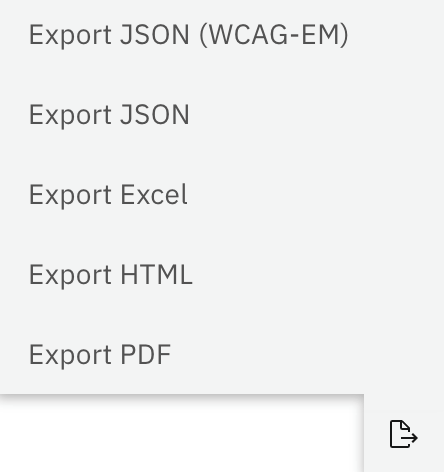
Accessibility Cloud shows you exactly what to test for a guideline, for each kind of product: a website, a mobile app, software or other ICT.
Testing a website for EAA compliance? Select website & web apps, and the success criteria match Table A.1 of Annex A of EN 301 549.
Testing a mobile app? Select mobile app, and the success criteria match Table A.2 for mobile apps.
You can narrow it down further by including or excluding conditional criteria. As you choose, Accessibility Cloud uses your site’s information to build your audit, ready for you to review and change.
For EN 301 549, you can test websites, web apps, software and mobile apps. For each one, you can add the conditional success criteria that apply to what you test:
- Non web documents
- Authoring tools
- ICT with video capabilities
- ICT with two-way voice communication
For the public sector, there are extra test rules for accessibility statements under the Web Accessibility Directive.
What the 40-second video shows:
- Assisted auditing helps you document the errors that automatic tests found.
- EN 301 549 has 137 success criteria for websites. You can leave out the ones that do not apply.
- For mobile apps, EN 301 549 has 162 success criteria to test.
Information sources
Work smarter, not harder
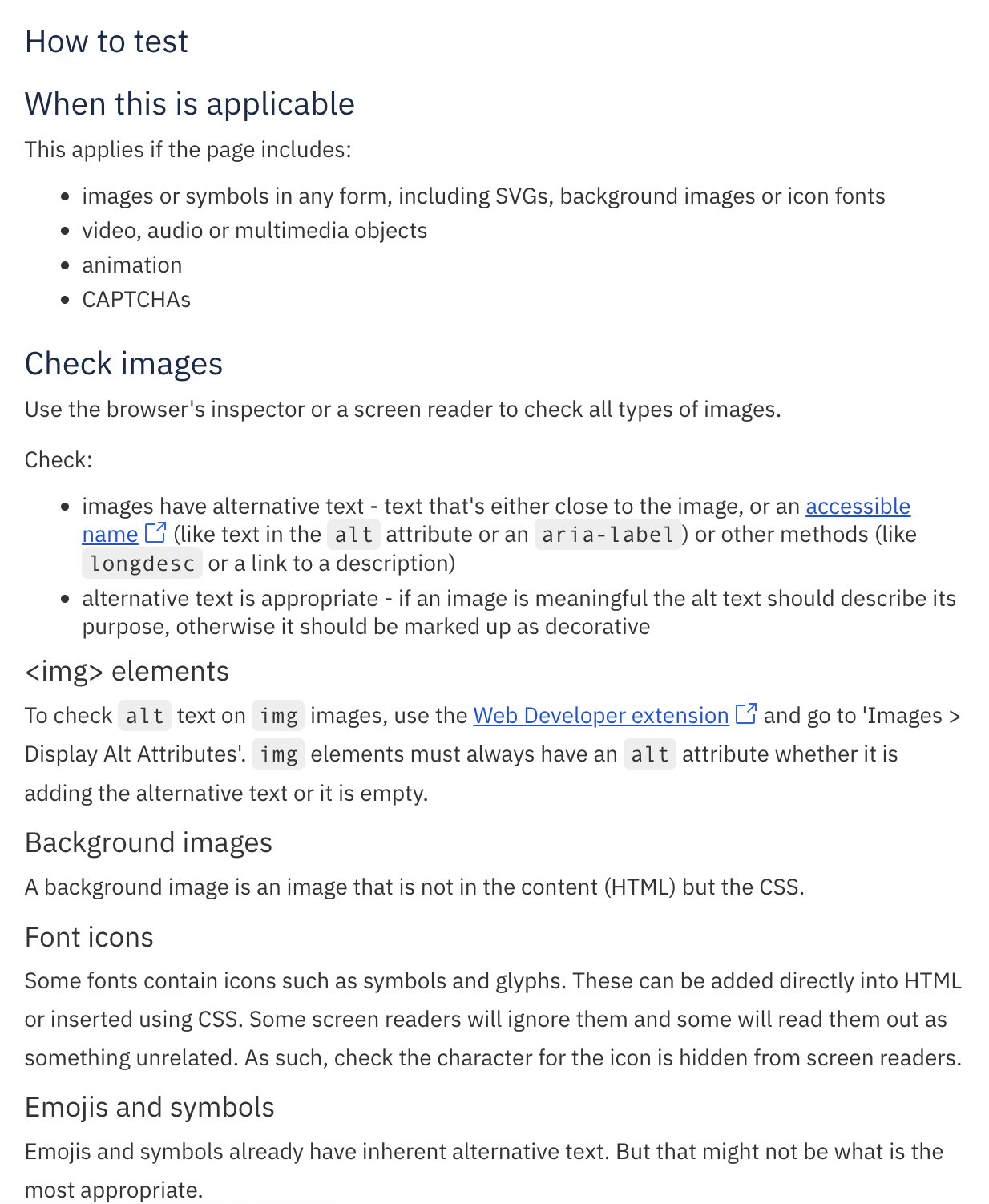
Let automation test what it can, on one page or a thousand. Cover the rest with guided tests, or with manual tests and detailed testing instructions.
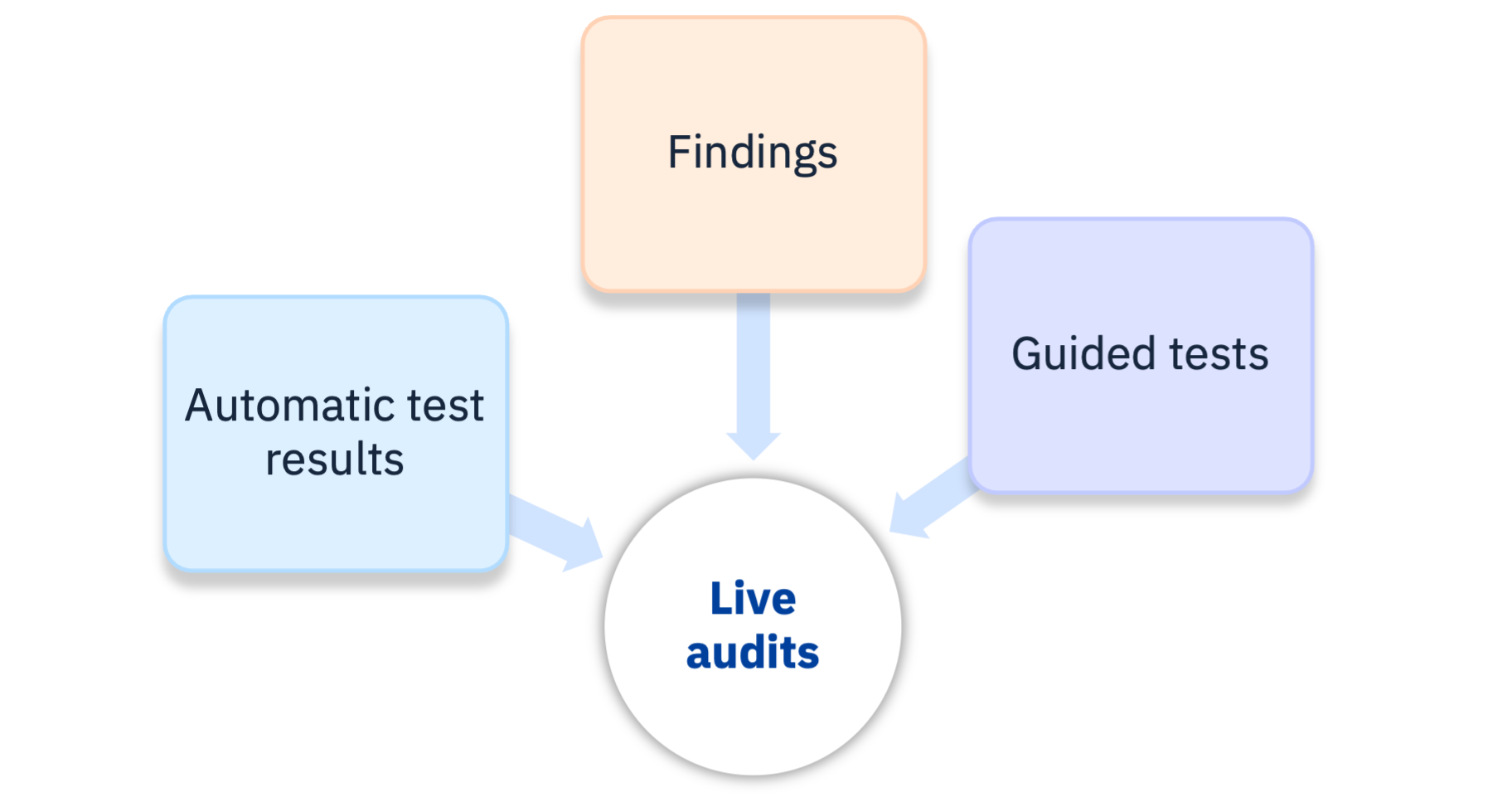
Information sources bring test results from elsewhere in Accessibility Cloud into your audit. Turn them on with a single click and watch your audit come to life. They are also what makes live audits possible.
You can include:
- Automatic test results from Accessibility Cloud’s automatic tests
- Findings: the defects you documented one by one
- Guided tests
Accessibility Cloud then processes the results, documents the violations, links them and adds them to your audit reports.
What the 90-second video shows:
- Automatic test results cover many pages, so they catch details you might miss.
- When an automatic test passes, the matching success criterion is marked “Cannot tell”, not “Passed”. Automatic tests only partly cover any success criterion, and tools can be wrong. You decide what is “Passed” or “Failed”, as it should be.
- Documenting defects as individual findings makes your audit much faster, and findings bring other benefits too.
- You can build an audit from one or more information sources. Accessibility Cloud keeps track of how engines, testing tools, data formats and guidelines relate to each other.
Findings
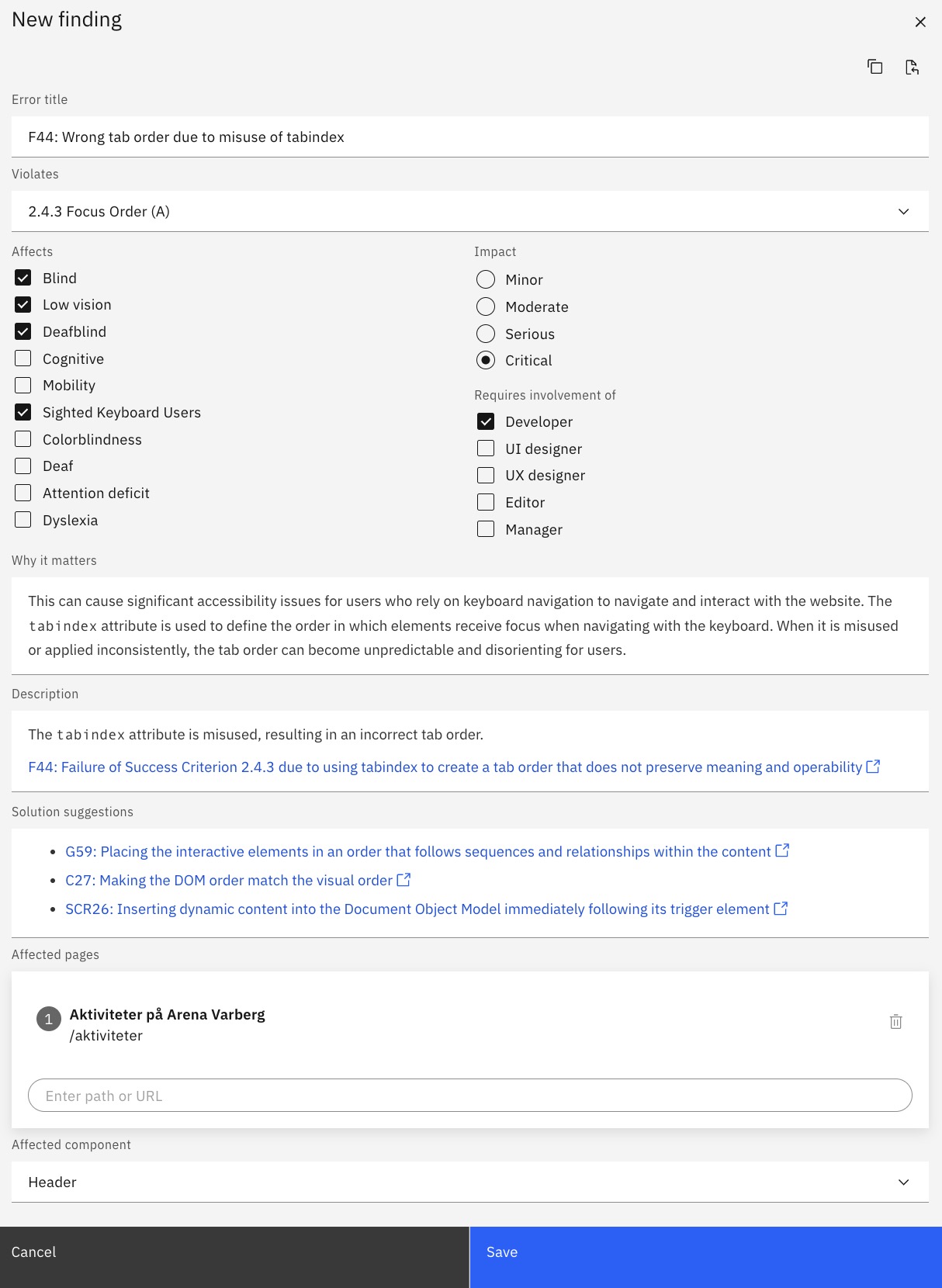
Findings are the backbone of manual accessibility testing. You can create them by hand, or from automatic test results or guided test results.
Each finding draws on a built-in snippet library linked to WCAG techniques for failures and how to fix them, so you write audits faster.
With findings, you can:
- Add them to accessibility audits
- Import them from JSON and CSV
- Export them to Excel, JSON and CSV
- Share them with Jira, GitHub, Zapier and others
- Use them as a defect backlog: send them to your bug tracker, and back to Accessibility Cloud for retesting
- Link them to WCAG techniques and success criteria
- Link them to pages and components
- Copy and paste them between site instances
- See, for each one, which disability groups are affected, the impact on users, and which roles need to help fix it
Interactive guided testing
Accessibility Cloud supports interactive guided tests from Microsoft’s Accessibility Insights for Web.
What is an interactive guided test?
A guided test asks you a series of simple questions about the page, and highlights its components and their values. The testing tool builds a test report from your answers. This way you catch accessibility errors quickly, without needing to be an accessibility expert.
Live audits
Information sources stay connected to the rest of Accessibility Cloud, so their status can flow into your audit in real time, if you want. That gives you a live audit: it updates itself as problems on the site get fixed, and as you mark findings resolved. Fixed violations leave your reports, so your audit report always shows the correct conformance level.
Three examples, one for each information source:
Automatic test results
The fix worked, and monitoring shows the error in your audit is gone. After your review, it leaves your live audit.
Findings
The fix worked, and you retested the defect. You mark the finding resolved, and it leaves your live audit.
Guided tests
You update a guided test, and the defects from the earlier version are gone. Their violations leave your live audit.
Static audits
Prefer a traditional, static audit or test report? You can have that too. A static audit is locked in time and no longer updates. In Accessibility Cloud this is called finalization, and you find it on the audit report.
Supported standards and guidelines
With Accessibility Cloud, you can test against these standards, guidelines and legal requirements:
| Standard | Options |
|---|---|
| WCAG 2.1 | With or without AAA success criteria |
| WCAG 2.2 | With or without AAA success criteria |
| EN 301 549 (European Union) | Websites and web apps, software (including kiosk and desktop apps), mobile apps |
| BITV (Germany) | With or without WCAG 2.2 |
| Section 508 (USA) | |
| ADA (USA) | The same tests as WCAG, reported as ADA |
| RGAA (France) |
Audits as portable data
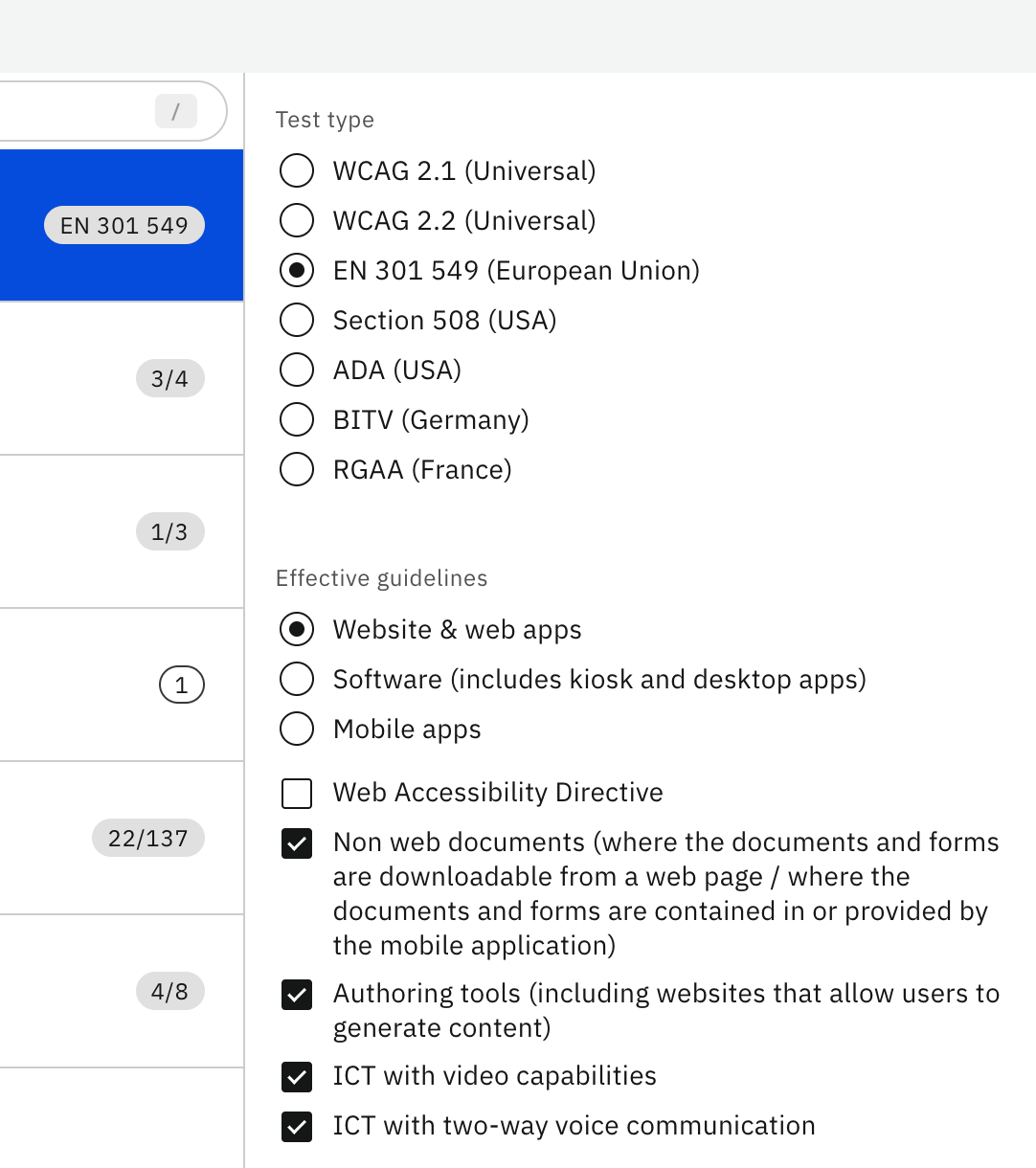
Everything in Accessibility Cloud can be exported, and audits are no exception.
Import and export
Export only
API access and transfers to remote repositories
Enterprise Edition and Monitoring Agency Edition can also return audits through API calls, and transfer them to remote repositories automatically.
Automatic sample selection
By default, Accessibility Cloud crawls and tests your whole site, or a large number of pages, unless you turn this off. That makes automatic sample selection possible.
Accessibility Cloud works out which pages matter most, which problems each page has, and how the two relate. Then it picks a sample that is representative, and small enough to test by hand. Among other things, it looks at:
Testing instructions
Accessibility Cloud includes detailed manual testing instructions from WCAG Primer, a great open-source resource.
Custom everything
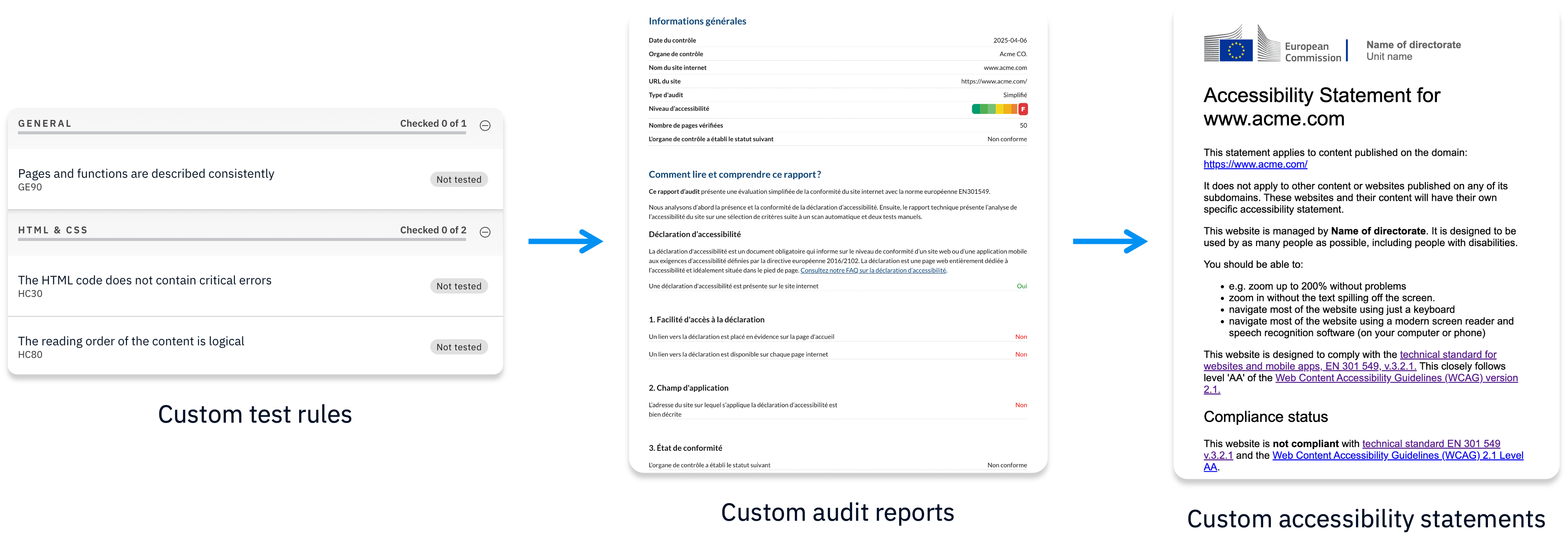
Accessibility Cloud’s advanced editions (Enterprise Edition, Partner Edition and Monitoring Agency Edition) let you customize all of these:
- Test rules: test against your own rules
- Outcomes: passed, failed, yes, no, can be improved, anything
- Report templates
Each one comes with an editor, so you can change it yourself, including all related information and every language version. You can also generate accessibility statements from the data of your audit.
You might be eligible for a free Auditor account
Accessibility Cloud provides free resources to qualifying individuals to support the digital accessibility testing profession.