This presentation is designed for desktop devices :(

Swipe left/right or use arrow keys to navigate

Contents

Use left and right arrow keys to navigate between slides. Press space to toggle autoplay.

Trusted by the organizations that define legal requirements.

Governments use it to monitor compliance. Enterprises use it to scale accessibility. Accessibility experts use it to audit with precision.

ACAI handles the heavy lifting: scanning websites with multiple engines, documents, and mobile apps, detecting violations, and suggesting fixes. Your team provides the judgment that only humans can. Powered by ACAI, backed by a global partner network, and built in Stockholm for organizations everywhere.

The European Commission, European national accessibility monitoring agencies, banks, major telecom providers, public authorities from municipalities to national governments, and e-commerce companies rely on Accessibility Cloud.
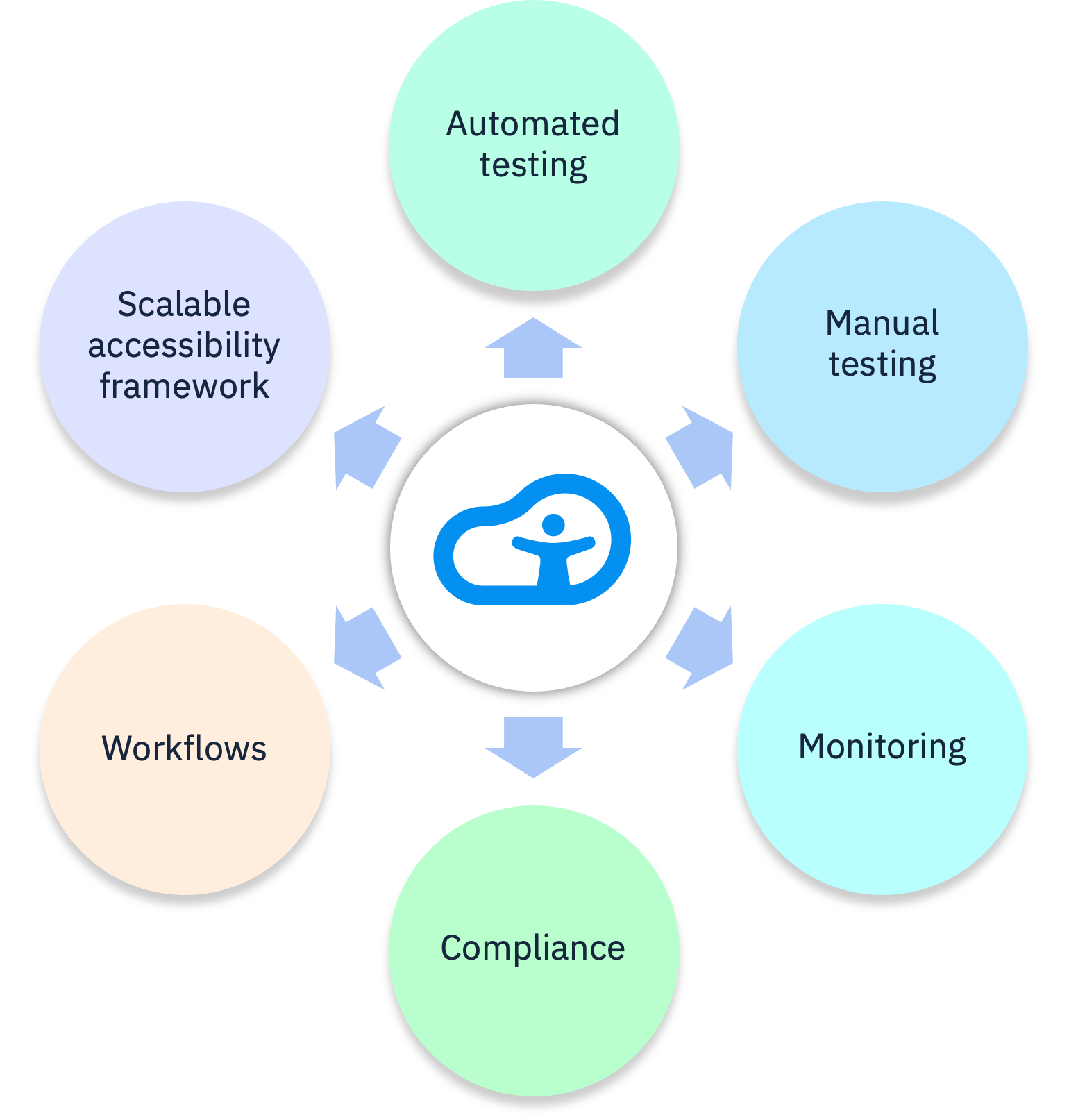
Pillars of Accessibility Cloud: Automated testing, manual testing, monitoring, compliance, workflows and scalable accessibility framework

“A game changer”

Creating inclusive digital experiences: how Accessibility Cloud can help us all improve accessibility.

Since we’ve started using it (Accessibility Cloud), it’s definitely been a bit of a game changer. By empowering us to create more inclusive digital experiences we’re able to ensure that everyone can access the information and services they need.

Read it at The Scottish Government’s Blog

Made in Europe

What makes Accessibility Cloud different

Broadest automated coverage
ACAI's multi-engine approach (AI + proprietary rules + axe-core + QualWeb) tests more WCAG criteria than single-engine tools. Unlimited on-demand scanning at up to 10,000 pages per hour, with support for authenticated pages, user flows, documents, images, and mobile apps (launching 2026).

Integrated accessibility auditing
The most complete auditing toolkit on the market. Full EN 301 549 support and multi-guideline coverage, with assisted testing, live audits, guided tests, automatic sample selection, custom rules, templates, snippets, and how-to guides.

Culture of customer obsession
Roadmaps are driven by direct customer feedback. Continuous dialogue with monitoring agencies, enterprises, governments, and individual auditors shapes how products evolve.
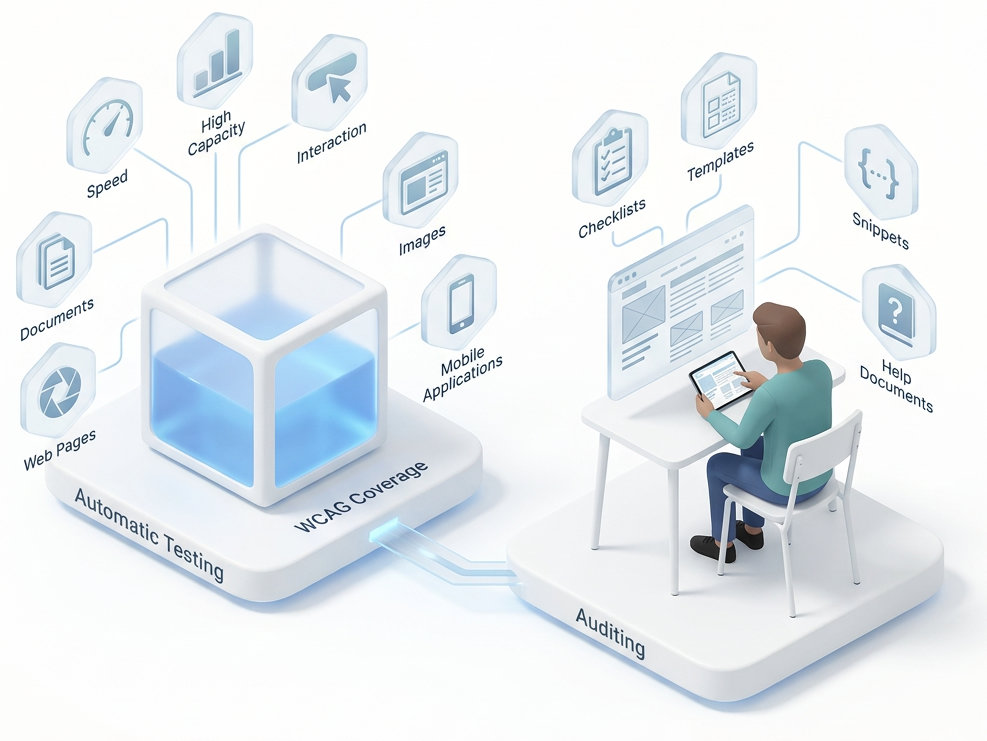

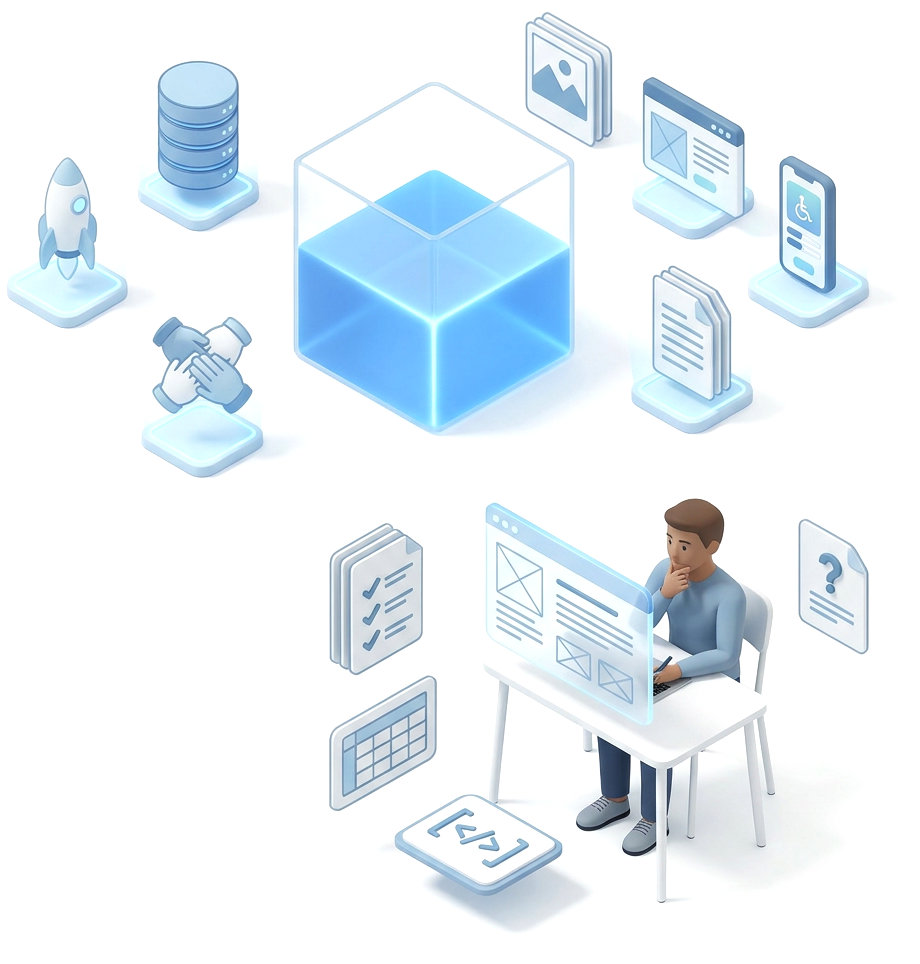
Illustration showing two connected components of Accessibility Cloud's platform: on the left, Automatic Testing represented by a glowing blue cube (ACAI) with surrounding icons for Speed, High Capacity, Interaction, Images, Mobile Applications, Web Pages, Documents, and WCAG Coverage; on the right, Auditing represented by a person sitting at a desk using a laptop, surrounded by icons for Checklists, Templates, Snippets, and Help Documents

ACAI: The Next-Generation Web Accessibility Testing Technology

Freely available across all editions and plans of Accessibility Cloud

What is ACAI?

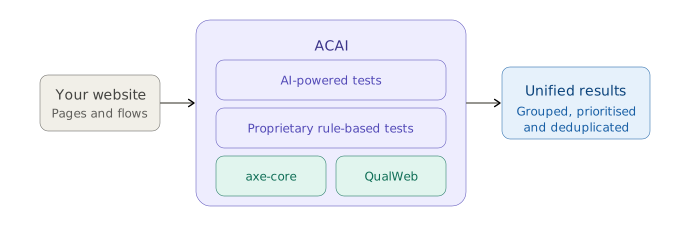
ACAI is Accessibility Cloud’s digital accessibility testing technology. Rather than relying on a single test engine, ACAI combines multiple components into a unified testing framework capable of driving other established test technologies, such as axe-core and QualWeb, alongside its own purpose-built tools.

ACAI utilizes multiple engines, tests with its own rules, and adds artificial intelligence driven tests on top, delivering unparalleled WCAG coverage in a single scan.

ACAI is available for free in all Accessibility Cloud plans, including the free plan. Free plan users have access to all ACAI components except AI-powered tests.

Architecture and Components

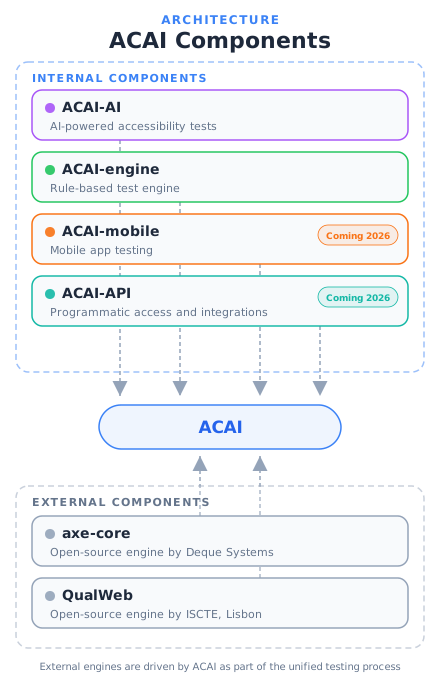
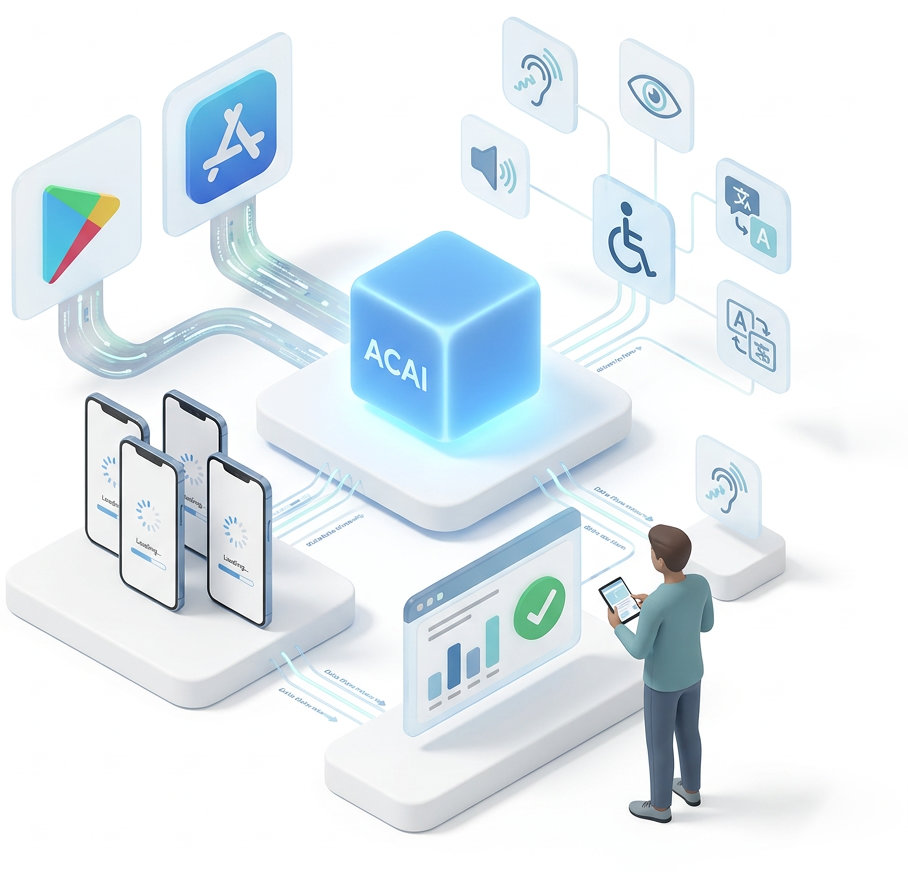
ACAI combines internal components from Accessibility Cloud with established open-source test engines.

Internal components

ACAI-AI uses AI to detect context-dependent issues like misleading alt text and language mismatches.

ACAI-engine is a new rule-based engine by Accessibility Cloud, extending WCAG coverage beyond existing engines.

ACAI-mobile brings ACAI testing to mobile platforms. Launching later in 2026.

ACAI-API enables programmatic testing and CI/CD integration without the Accessibility Cloud interface. Launching later in 2026.
External components

axe-core is an open-source engine maintained by Deque Systems. QualWeb is an open-source engine developed at ISCTE, University Institute of Lisbon.

ACAI drives these external engines as part of its testing process, combining their results with its own for broader, more accurate coverage.

Human First, AI Second: All-in-One Digital Accessibility Platform

One platform, two superpowers

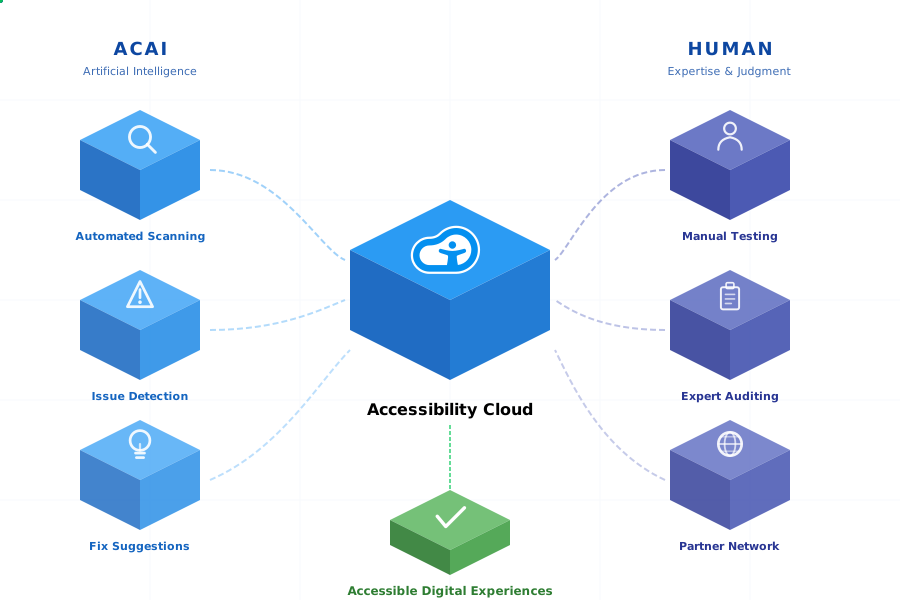
ACAI, our artificial intelligence, revolutionizes digital accessibility testing by making AI and human expertise work together to achieve much more.

Automated tools catch a wide range of issues, but cannot replicate the judgment of a real person navigating a website with a screen reader. Accessibility Cloud keeps human testing essential while making it easier. It handles large-scale detection and helps focus efforts on nuanced, experience-driven testing that only people can do.

Behind every accessibility barrier is a real person, and behind every solution should be real human understanding.

That's why we built Accessibility Cloud with a human-first philosophy.

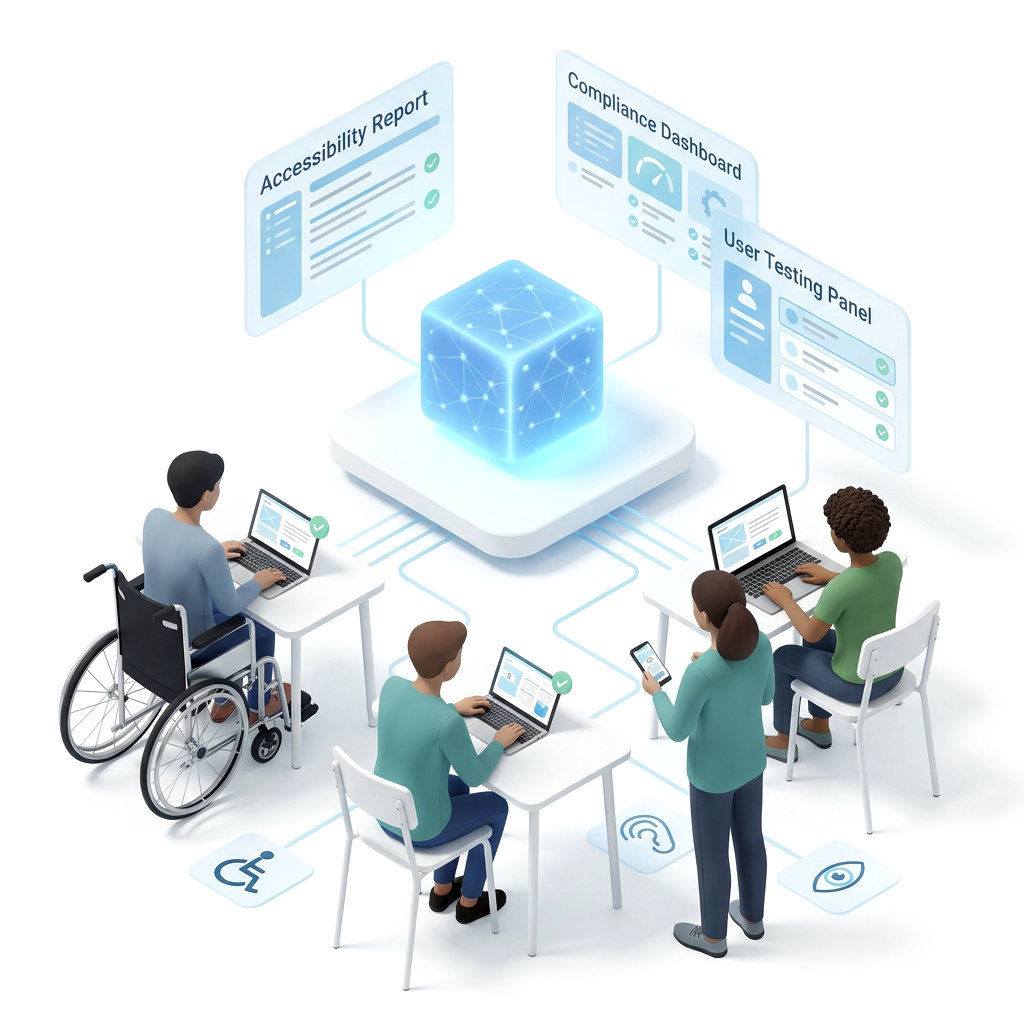
Illustration showing ACAI, represented as a glowing blue cube with a network pattern, at the center of a connected workflow. Three floating panels labeled Accessibility Report, Compliance Dashboard, and User Testing Panel extend from the cube. Four diverse people surround it: a wheelchair user working on a laptop, a person seated with a laptop, a person standing and reviewing a smartphone, and a person working on a laptop at a desk. Accessibility icons for wheelchair access, hearing, and vision appear on the floor, and green checkmarks on screens indicate successful testing results.

Our approach: Human expertise leads. AI accelerates.

Meaningful digital accessibility requires nuanced human judgment. AI is a powerful ally, but not a substitute. Accessibility Cloud combines AI-powered scanning, monitoring, and remediation suggestions with human-led auditing, strategy, and testing.

Technology and AI handles the heavy lifting. Accessibility Cloud continuously scans web, documents, and mobile apps (launching 2026) using AI and multiple scanning engines, identifies violations, suggests fixes, and monitors for regressions.

Humans provide the clarity. The platform helps review, prioritize, and document problems, suggest solutions, and collaborate using your existing processes.

A global network of accessibility experts. Certified partners bring localized expertise, covering regional compliance, language, and cultural nuances.

Together, they deliver results. Superior detection, human expertise, actual results.

Isometric diagram showing how ACAI artificial intelligence and human expertise flow into the Accessibility Cloud platform to produce accessible digital experiences. Three blue cubes on the left represent ACAI capabilities: automated scanning, issue detection, and fix suggestions. Three indigo cubes on the right represent human capabilities: manual testing, expert auditing, and partner network. Animated dashed paths connect both sides to a central blue cube displaying the Accessibility Cloud logo. A green cube at the bottom represents the output: accessible digital experiences.

Accessibility Cloud Editions

Accessibility Cloud Editions Overview

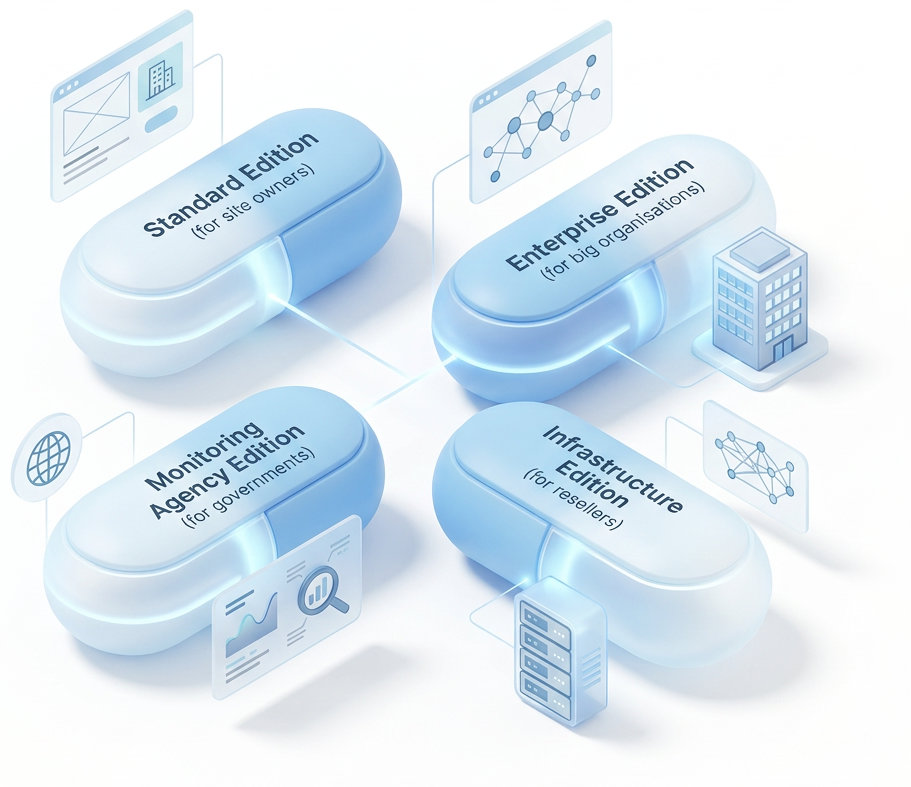
Accessibility Cloud offers editions tailored to diverse accessibility needs:

  • Standard Edition: Feature-packed, high capacity, in-context learning, remediation suggestions, affordable pricing.
  • Enterprise Edition: Component-level, design system and user flow testing, reports, process management, CI/CD integrations, custom rules and templates, optional dedicated scanners.
  • Monitoring Agency Edition: WAD and EAA national monitoring solution for authorities and companies with dashboards for their digital properties.
  • Infrastructure Edition: For web agencies, IT vendors, and accessibility companies to deliver accessibility services using Accessibility Cloud as a platform.
Illustration showing four Accessibility Cloud product editions as rounded capsule shapes: Standard Edition for site owners, Enterprise Edition for big organisations, Monitoring Agency Edition for governments, and Infrastructure Edition for resellers.

Essentials

Authentication, languages, and platform essentials

CMS agnostic and requires no integration

Accessibility Cloud can be used with any website, built with any CMS or technology.

It requires no integration and therefore doesn’t slow your site down.

Logos of various web technologies and content management systems: HTML, JavaScript, React, Node.js, Angular, Vue.js, Svelte, jQuery, WordPress, Episerver, Optimizely, Drupal, CustomPublish, ACOS, Sitevision, and Joomla!

Built with GDPR in mind

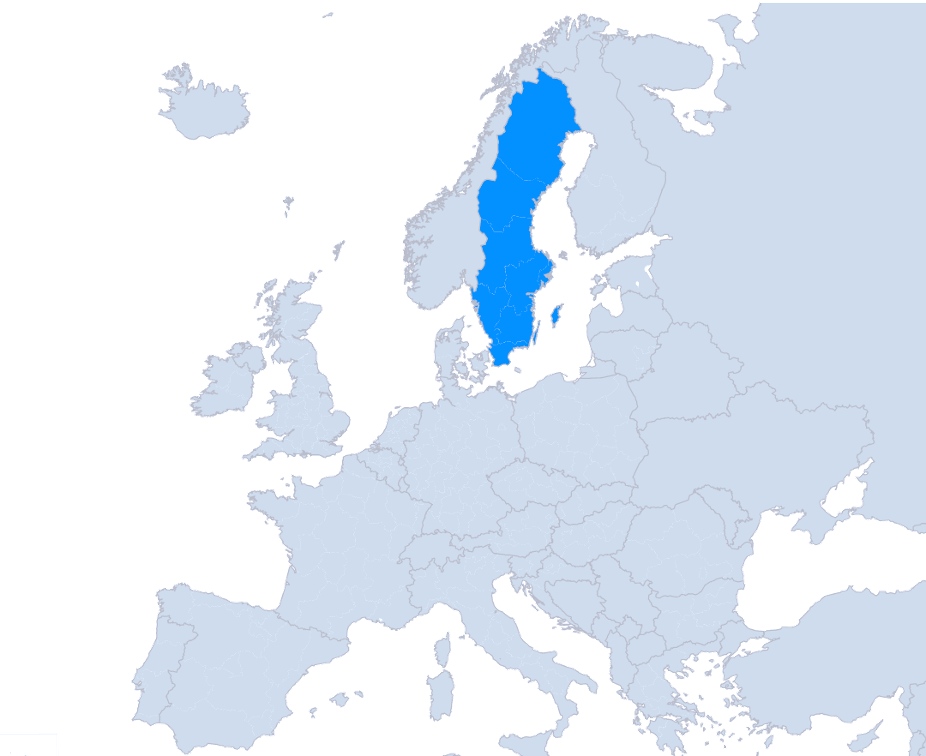
Accessibility Cloud is a cloud-based service with data centers located all within Sweden; Gävle and Stockholm.

Accessibility Cloud doesn’t collect, process or store any personally identifiable data.

Accessibility Cloud only has 4 sub-processors, all of which are also located within Europe:

  • Microsoft Azure, Sweden
  • HubSpot, Germany
  • Auth0, Germany
  • Mailjet, Germany
Map of European Economic Area where Sweden is highlighted to show data center locations of Accessibility Cloud Logos of Azure, HubSpot, auth0, and mailjet Made in Europe

Authentication

Accessibility Cloud supports strong passwords, Login with Google, and Login with Microsoft. All paid plans include MFA (multi factor authentication). Enterprise Edition supports SSO (single sign-on).

Language options

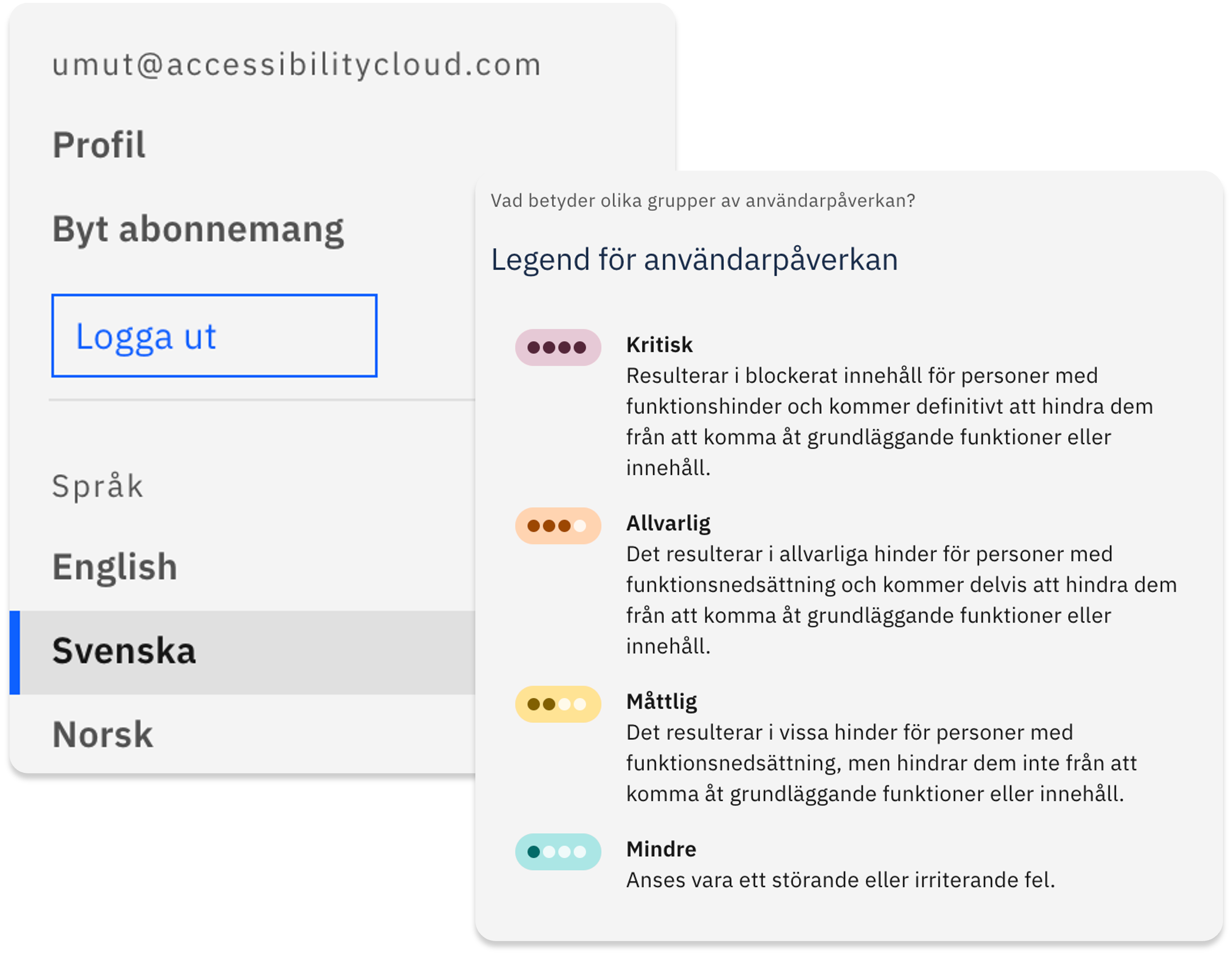
Accessibility Cloud offers multiple languages in the user interface: English, Danish, Dutch, Finnish, French, German, Italian, Norwegian, Spanish, Swedish, and Turkish.

User interface part of Accessibility Cloud where users have the ability to switch between available user interface languages

Coverage & usefulness

Accessibility Cloud is revolutionising the way organisations test for web accessibility and maintain compliance across numerous guidelines and regulations, such as WCAG, EN 301 549, European Web Accessibility Directive, Section 508, ADA, PDF/UA and more.

This means less time dealing with thousands of rows of findings, not maintaining spreadsheets, not going-back and forth with consultants and reports of different systems, and not trying to decipher what needs to be done and by whom.

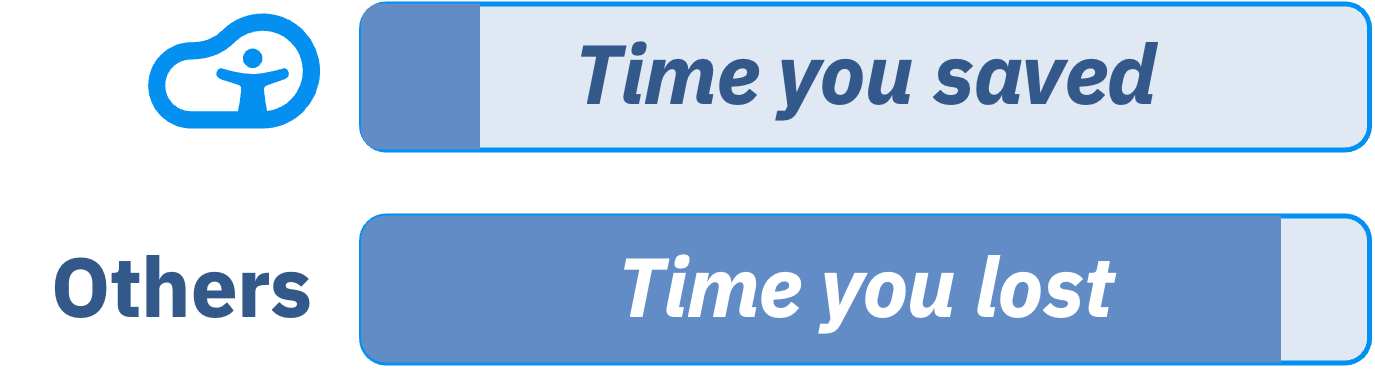
With Accessibility Cloud, you spend only a fraction of the time compared to other testing solutions and web governance suites and accomplish so much more, allowing you to focus on delivering accessible and innovative web experiences.

Progress indicators, showing the difference in time spent by using Accessibility Cloud vs other tools, highlighting the time savings with Accessibility Cloud

Collaboration

Built for teams across every role

Cross-functional collaboration

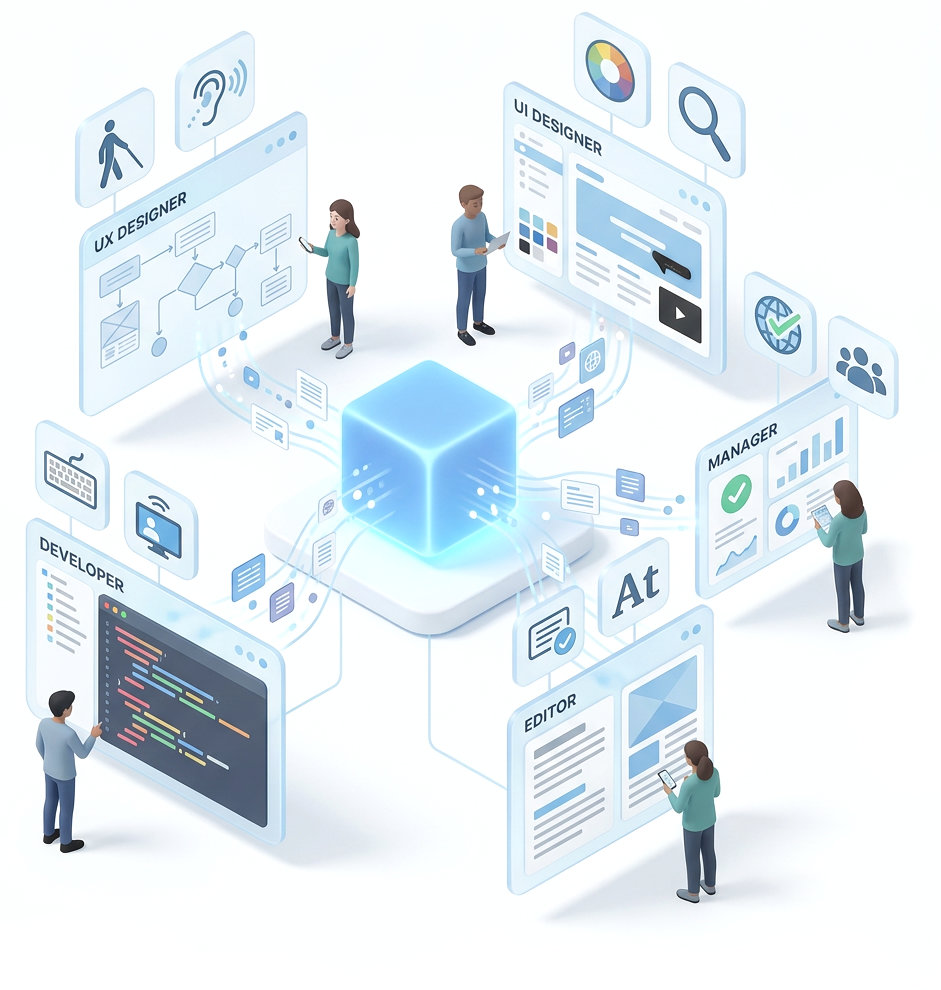
Accessibility Cloud is designed to cooperate with others, regardless of their roles; manager, editor, UX designer, UI designer, or developer.

You can filter errors, failures, potential issues and even individual pages by roles to see who can fix what.

Illustration showing four team roles connected to a central glowing cube representing ACAI from Accessibility Cloud. A Developer works with a code editor on the lower left, a UX Designer reviews user flow diagrams and accessibility icons on the upper left, a UI Designer examines color palettes and web layouts on the upper right, an Editor reviews content documents on the lower right, and a Manager views charts and compliance dashboards on the far right. Each role's workspace is connected to the central platform, representing role-based collaboration for accessibility testing.

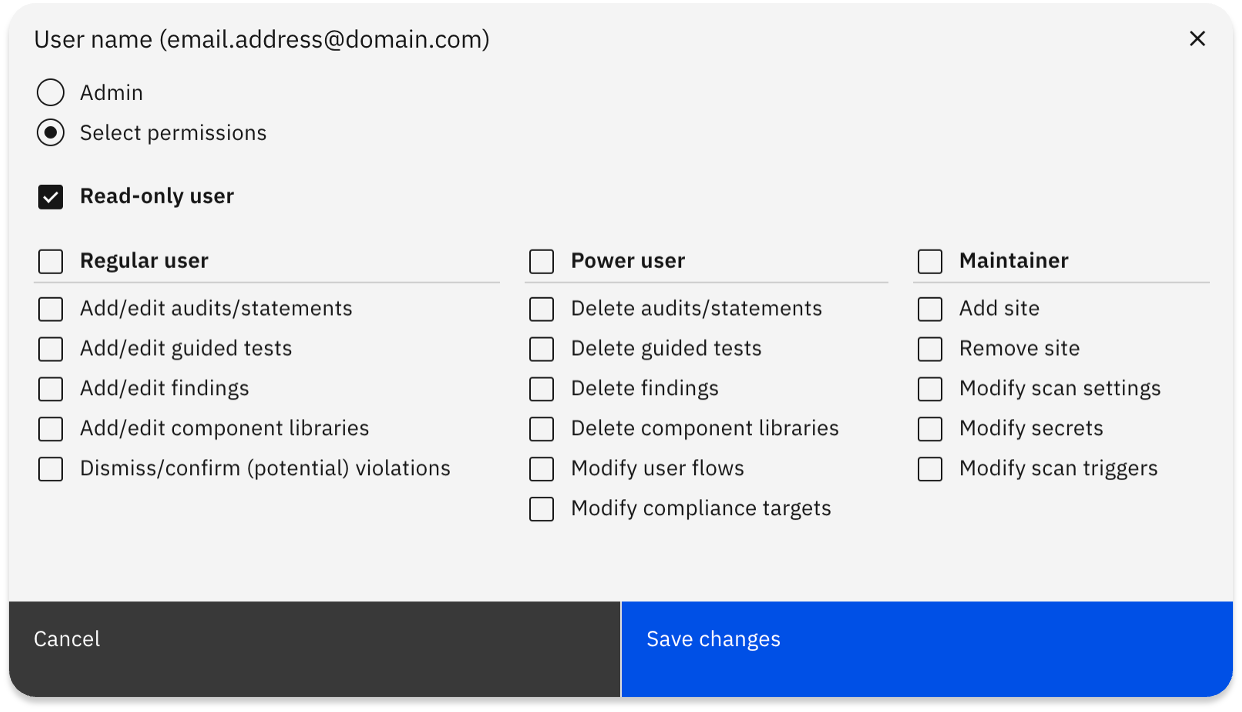
Users, roles, and granular permissions

Accessibility Cloud supports role-based and granular permissions for each user within the platform.

Screenshot from the user permission management section of Accessibility Cloud

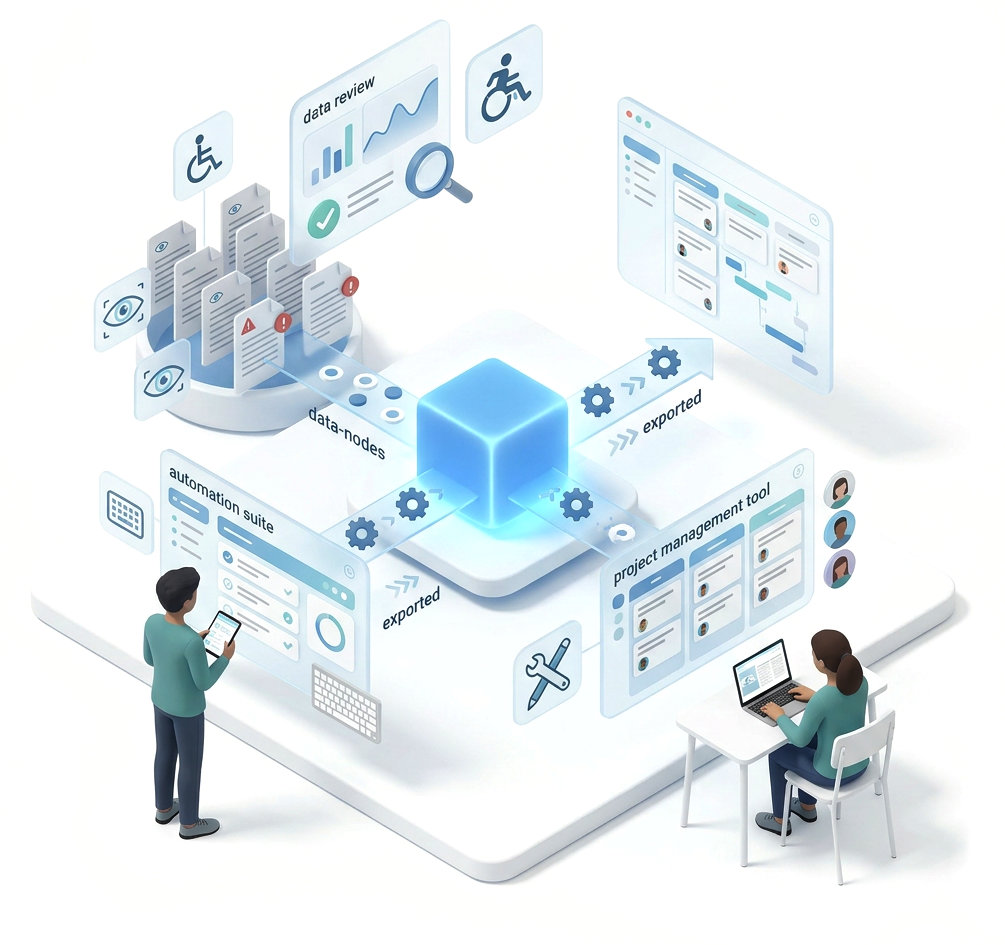
Share findings

Share your findings to colleagues or to colleagues, bug trackers, project management, and automation suites.

Which tools are supported?

  • Azure DevOps
  • GitHub
  • Jira
  • Trello
  • GitLab
  • Asana
  • Monday.com
  • ClickUp
  • Zapier
  • Make
  • and others…
Illustration showing Accessibility Cloud's central platform distributing accessibility findings to external tools.

Compliance

All the compliance targets your organization needs

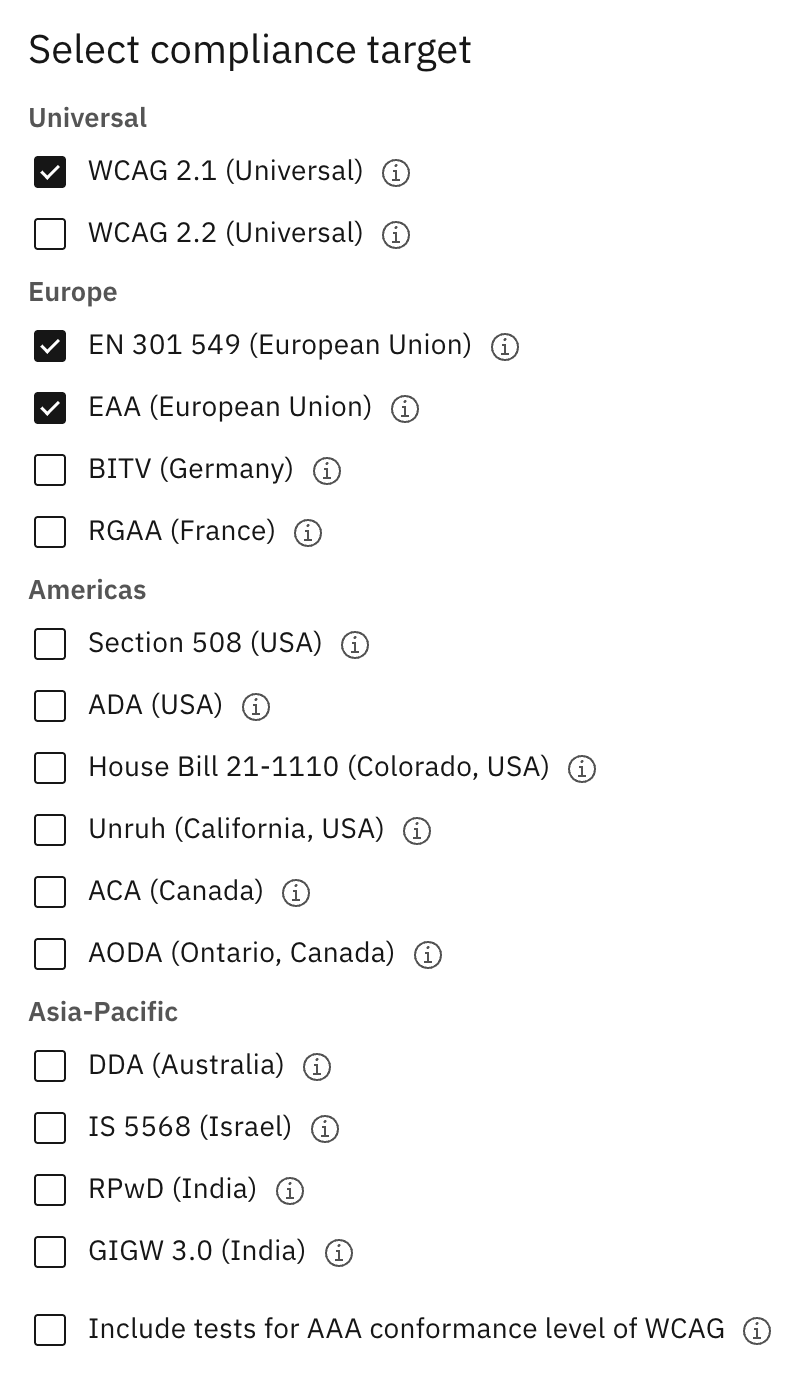
Multiple compliance targets

Set one or more compliance targets for each site, for both automatic and manual tests. Choose the conformance level (AA or AAA) and optionally include accessibility errors beyond strict violations. Supported standards include:

Universal: WCAG 2.1, WCAG 2.2

Europe: EN 301 549, BITV, RGAA

Americas: Section 508, House Bill 21-1110, Unruh, AODA

Asia-Pacific: IS 5568, RPwD, GIGW 3.0

Screenshot compliance targets selection in Accessibility Cloud. The list of compliance targets are present in the page.

Accessibility statement generation

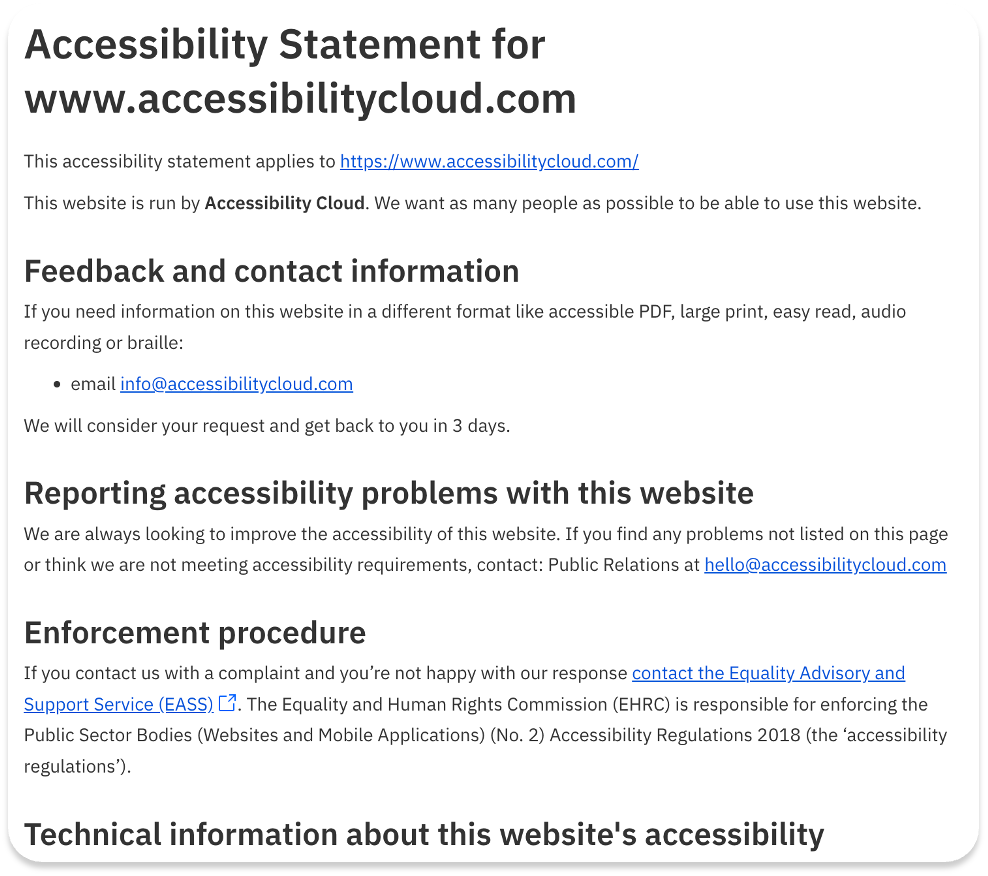
Accessibility Cloud’s accessibility statements are automatically generated from the manual tests or audits by using all their applicable fields and doing all the necessary adjustments and calculations.

They ensure legal standing of the document by covering all local requirements per country/region and allows customisation. All the expertise required to generate an accessibility statement is now included in your subscription.

Feature highlights:

  • Based on manual tests / audits / evaluations
  • Specific content for each country & language combination
  • Automatic calculation of necessary fields, such as compliance status
  • All the necessary fields included, automatically calculated/populated, editable and removable
  • Downloadable as HTML
Screenshot of a newly generated accessibility statement for the Accessibility Cloud website

Legal compliance requirement identification of documents

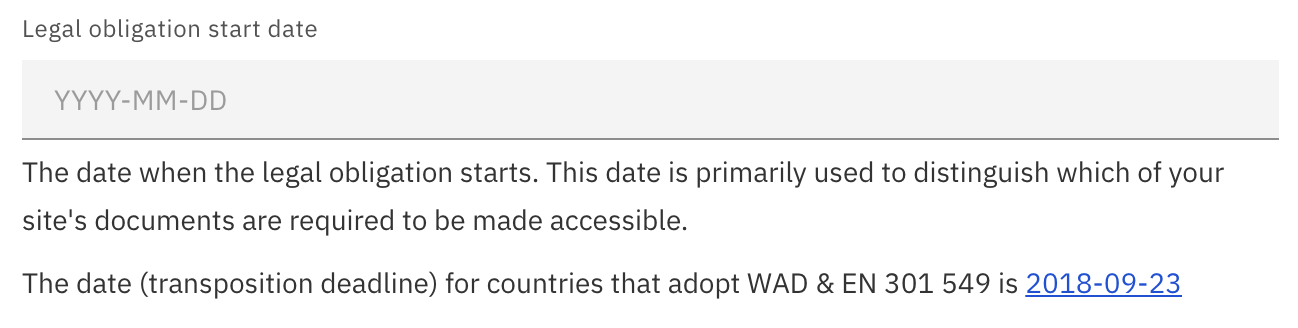
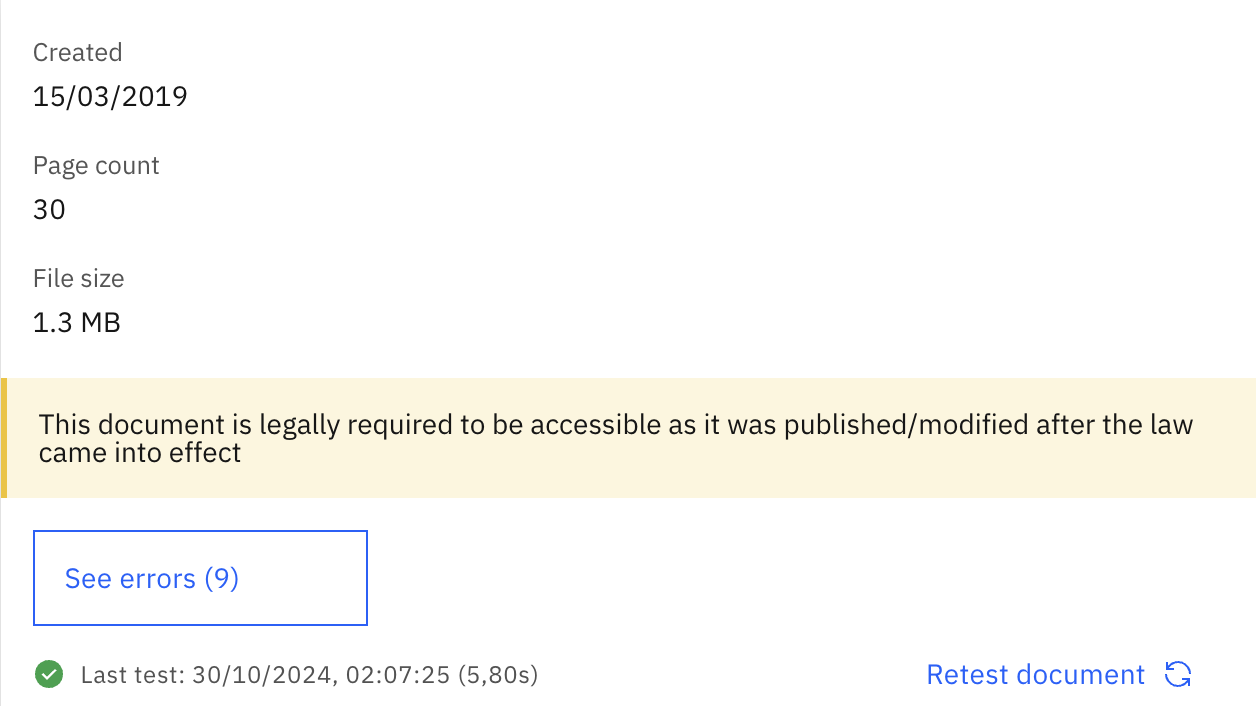
Accessibility Cloud’s document scanning engine can identify legal compliance requirement for each document.

After setting up the ‘Legal obligation start date’ in Compliance Targets on the left menu of your site instance, you will be able to observe which of your documents are legally required to be made accessible.

Set your legal obligation start date to discover which of your documents exposes you to legal risk.

Screenshot of how legal obligation start date is set Screenshot of an example document from 2019 on a site that needs to be compliant since 2018

Automated web accessibility testing that sets the standard

From scanning thousands of pages to fixing the last error. AI-driven tests, powerful crawling, multi-engine scanning, unlimited on-demand testing, and a complete analysis and remediation workflow in one place.

Scanning

Accessibility Cloud combines multiple scanning engines, unlimited on-demand capacity, and advanced crawling to test your entire site, including pages behind logins, user flows, and content across multiple domains. Configure what gets scanned, set your compliance targets, and let the platform handle the rest.

Multiple accessibility defect scanning engines

Not all scanning engines catch the same issues. Accessibility Cloud lets you test with multiple engines, including ACAI, our AI-powered engine, axe-core, and QualWeb. You can test your site with the same engine your country’s monitoring agency uses, so you can make meaningful comparisons and ensure nothing slips through.

Availability
All editions, all plans
Diagram showing how ACAI processes your website. ACAI combines four testing components: AI-powered tests, proprietary rule-based tests, axe-core, and QualWeb. All results are merged into a single unified view that is grouped, prioritised, and deduplicated

User flow testing

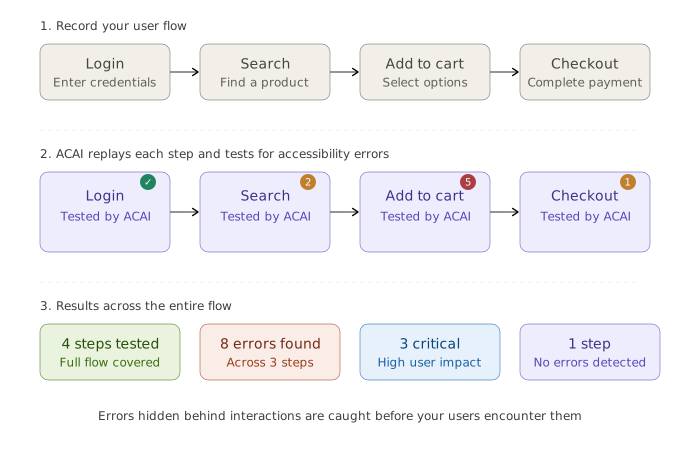
Static page scans only tell half the story. Many accessibility issues surface only after user interactions, such as opening menus, filling out forms, selecting filters, or completing a checkout.

Accessibility Cloud can mimic real user interactions to uncover defects hidden behind membership flows, search, payments, shopping carts, booking systems, contact forms, and more. Visit your site, record your user flows, and let Accessibility Cloud test what other tools can’t.

Availability
Enterprise
Availability as add-on
StandardMonitoring AgencyInfrastructureAuditor
Diagram showing how user flow testing works in three phases. First, you record a user flow such as login, search, add to cart, and checkout. Then ACAI replays each step and tests it for accessibility errors, finding 2 errors on search, 5 on add to cart, and 1 on checkout, while login passes. The results summary shows 4 steps tested, 8 errors found across 3 steps, 3 critical with high user impact, and 1 step with no errors detected.

Unlimited on-demand accessibility defect scanning

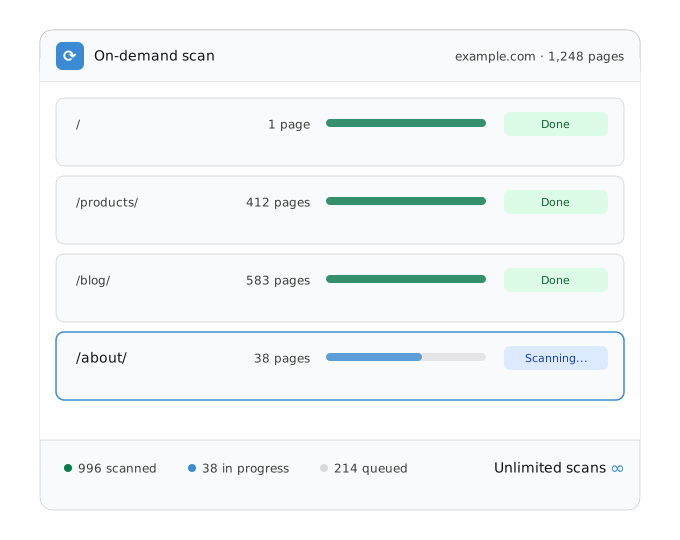
Scan your entire site whenever you want, with no limits, on all plans. Accessibility Cloud’s hyper-scalable infrastructure means you’re never waiting or rationing scans.

Expected scanning speeds:

  • 5,000 to 10,000 pages per hour for sites hosted in Scandinavia
  • 3,000 to 5,000 pages per hour for sites hosted elsewhere in Europe
  • 2,000 to 3,000 pages per hour for sites hosted anywhere else in the world
  • 10,000 to 100,000 pages per hour with an Accessibility Cloud on-prem scanner

Scanning performance depends on how fast Accessibility Cloud can communicate with your web server. Public scanners are primarily located in Scandinavia, with new scanners deployed to additional geographies as needed.

Availability
All editions, all plans
Scan progress card showing an on-demand scan of example.com with 1,248 pages. Four URL sections are listed: the root page (1 page, done), /products/ (412 pages, done), /blog/ (583 pages, done), and /about/ (38 pages, currently scanning). The footer shows 996 pages scanned, 38 in progress, 214 queued, and an unlimited scans indicator.

Scan pages and documents behind logins

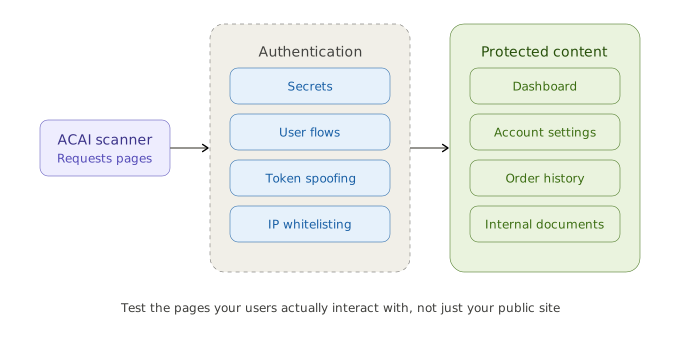
Test pages and documents that require authentication. Accessibility Cloud supports re-authentication features and advanced scan parameters so you can reach the content your users actually interact with, not just your public-facing pages:

Secrets

Login credentials, HTTP headers, and JSON payloads for authentication.

Availability
Enterprise

User flows

Authentication systems can be bypassed by creating a user flow for the login page.

Availability
Enterprise
Availability as add-on
StandardMonitoring AgencyInfrastructureAuditor

Spoofing

Authentication tokens can be spoofed to bypass authentication systems Cookies HTTP headers Local storage Session storage

Availability
All editions, all plans

Whitelisting scanners

Whitelisting of IP addresses or user agents of scanners.

Availability
All editions, all plans
Diagram showing how Accessibility Cloud scans pages behind logins. The ACAI scanner on the left connects through an authentication layer offering four methods: secrets, user flows, token spoofing, and IP whitelisting. Once authenticated, the scanner reaches protected content including dashboards, account settings, order history, and internal documents.

Built to scale with your organization

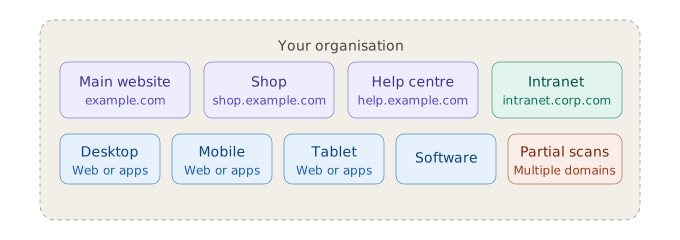
Add as many websites, subdomains, viewports, and partial scans as you need. Accessibility Cloud doesn’t force everything into a single domain. Whether you manage one site or hundreds across different regions and configurations, the platform adapts to how you work, not the other way around.

Availability
All editions, all plans

Powerful scanning options

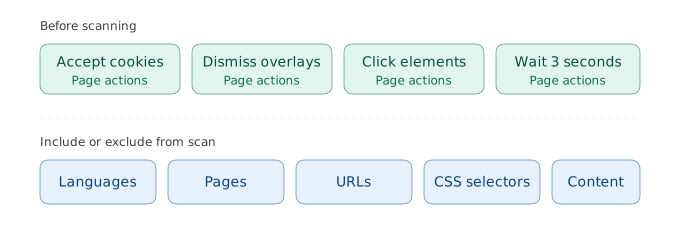
Fine-tune what gets scanned by including or excluding languages, specific content, pages, URLs, and CSS selectors across your sites. Configure the scanner’s behaviour, accept cookie banners, dismiss overlays, and interact with pages before testing commences.

Availability
All editions, all plans
Diagram showing scanning configuration options in two categories. Before scanning, four page actions are available: accept cookies, dismiss overlays, click elements, and wait 3 seconds. Below, five types of content can be included or excluded from a scan: languages, pages, URLs, CSS selectors, and content.

Multiple compliance targets

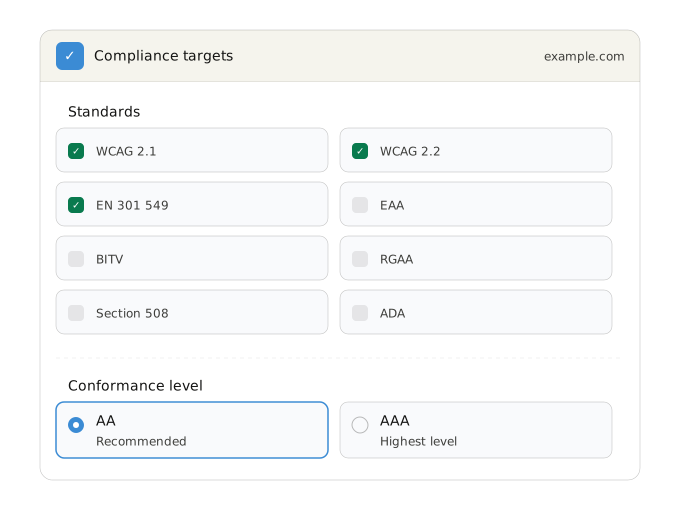
Set one or more compliance targets for each site, for both automatic and manual tests. Choose the conformance level (AA or AAA) and optionally include accessibility errors that go beyond strict violations. Supported standards include:

  • WCAG 2.1
  • WCAG 2.2
  • EAA
  • EN 301 549
  • BITV
  • RGAA
  • Section 508
  • ADA
  • See all supported compliance targets
Availability
All editions, all plans
Compliance targets settings card for example.com. Eight standards are shown in a two-column grid: WCAG 2.1, WCAG 2.2, and EN 301 549 are selected, while EAA, BITV, RGAA, Section 508, and ADA are available but not selected. Below, the conformance level is set to AA (recommended), with AAA (highest level) also available.

Results and views

Every scan produces structured, actionable results, not just a list of errors. Four distinct views let your team approach results from different angles depending on whether you are fixing individual pages, tackling widespread patterns, reviewing improvement opportunities, or confirming potential errors flagged by AI.

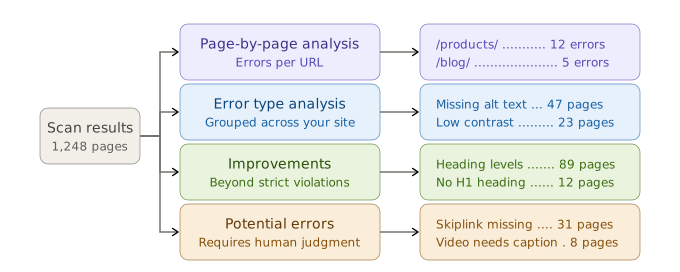
Every scan produces four distinct views, each designed for a different stage of your remediation workflow:

Diagram showing how scan results flow into four analysis views. Scan results from 1,248 pages branch into page-by-page analysis (showing errors per URL such as /products/ with 12 errors and /blog/ with 5), error type analysis (showing patterns like missing alt text across 47 pages and low contrast across 23), improvements (showing enhancement opportunities like heading levels across 89 pages and no H1 heading across 12), and potential errors requiring human judgment (such as skiplink missing across 31 pages and video needs caption across 8).

Page-by-page analysis

See every error on a specific page. Drill into individual URLs to understand what needs fixing. Filter by severity or role, review solution suggestions, and verify resolved errors. Ideal for developers, editors, and QA teams.

Error type analysis

See errors grouped by type across your site. View every page where a specific error occurs, compare results between scan dates, and sort by occurrence, discovery date, or alphabetically. Convert errors to Findings, dismiss addressed errors, or group by violated success criteria.

Accessibility improvements

Discover enhancements beyond strict violations. Filter by content type or role, sort by occurrence or impact, compare across scan dates, and convert improvements to Findings when ready.

Potential errors

Review errors requiring human judgment. ACAI and other engines flag patterns that may or may not be true violations. Confirm them to add to your error count, or dismiss them to keep compliance reporting accurate.

Availability
All editions, all plans
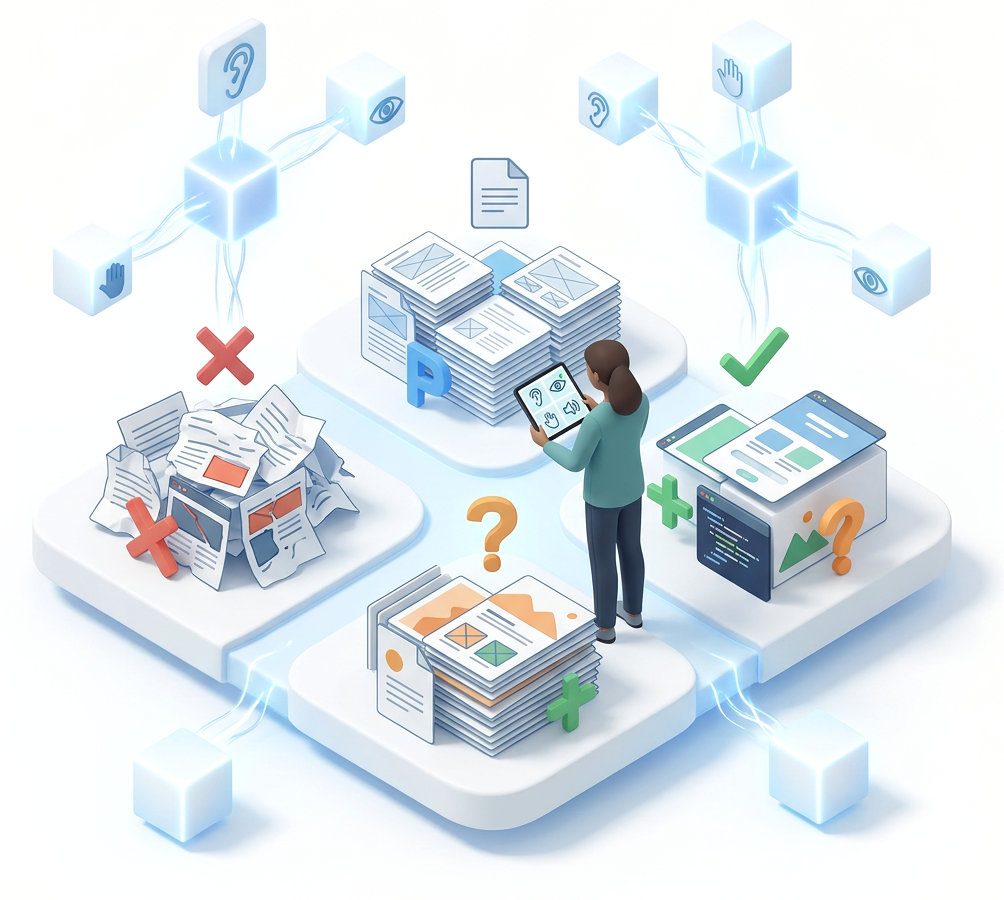
Illustration communicating a person looking at accessibility test results of 4 piles of content; pages, errors, potantiel errors and improvements.

Filters and sorting

A scan of a large site can return thousands of results. Accessibility Cloud gives you the tools to cut through the volume: filter by content type or team role, deduplicate identical errors, group reoccurring patterns, and prioritise by user impact so your team always works on what matters most.

Availability
All editions, all plans
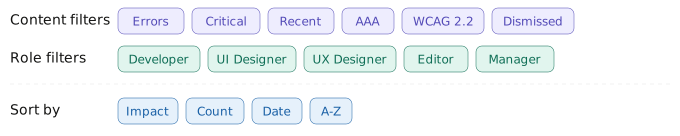
Filter and sorting toolbar with three groups. Content filters include errors, critical, recent, AAA, WCAG 2.2, and dismissed. Role filters include developer, UI designer, UX designer, editor, and manager. Sort options include date, A-Z, impact, and count.

Content filters

Filter by pages with errors, critical errors, recently discovered errors, AAA conformance errors, WCAG 2.2 errors, or dismissed errors.

Role filters

Filter results by the role best suited to fix each problem: Developer, UI Designer, UX Designer, Editor, or Manager. Each person sees what is relevant to them.

Find, sort, and prioritise at scale

Accessibility Cloud groups reoccurring errors into single entries, deduplicates identical errors across pages, and ranks everything by user impact. Search all results, switch between list views, and in error type analysis, group errors by violated success criteria. Compare errors from two scan dates to track progress over time.

Availability
All editions, all plans
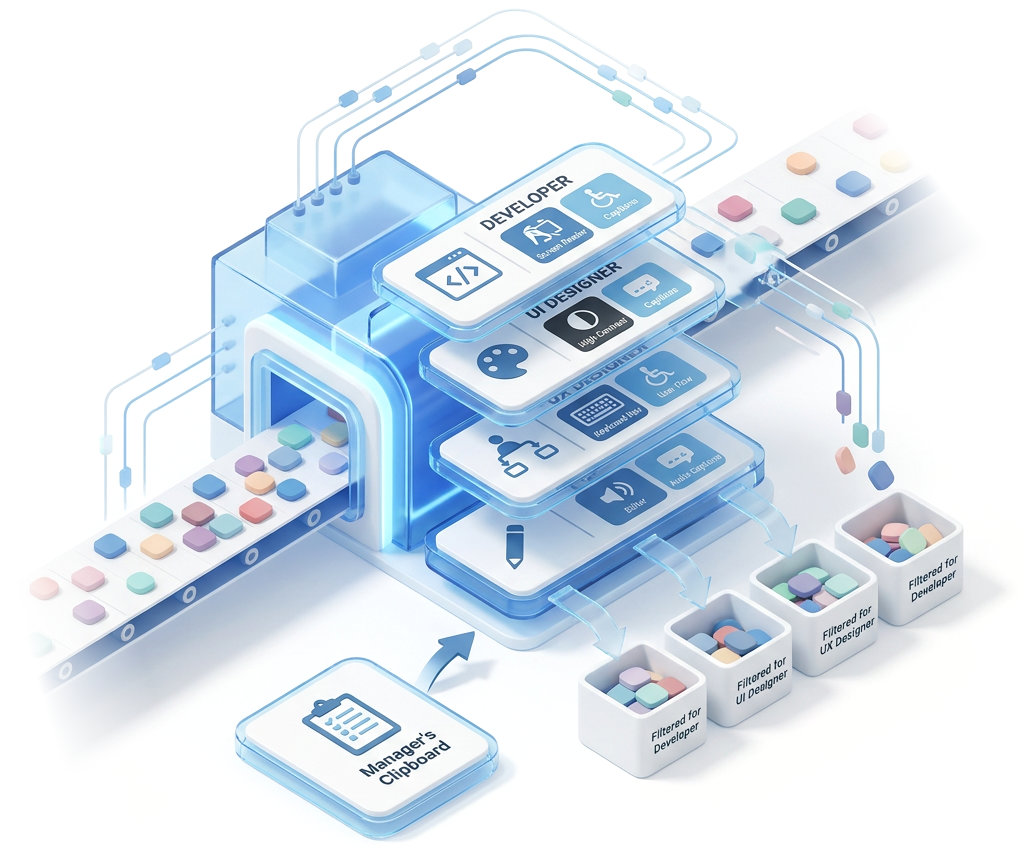
Illustration of a filter machine sorting accessibility issues by team role. Colored blocks representing different issue types enter from the right and pass through stacked filter layers labeled Developer, UI Designer, UX Designer, and Editor — each showing relevant skill icons like code, screen reader, captions, high contrast, color palette, keyboard, and user flow.

Error deep-dive

Select any error and get everything your team needs to understand it, fix it, and verify the fix. Every error record combines technical detail, visual context, AI-powered fix suggestions, and space for your own notes, so nothing gets lost between detection and remediation.

Availability
All editions, all plans

Error breakdown

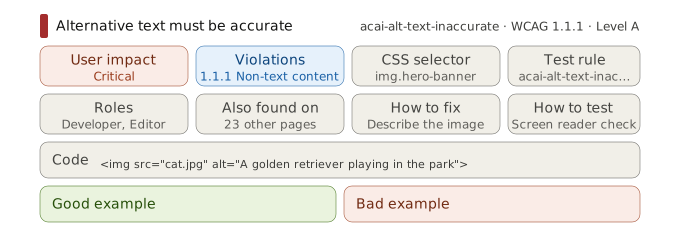
Every error includes a description of the problem, the user impact it causes, which WCAG violations it triggers, the CSS selector of the affected element, and a code excerpt showing the exact markup. You also see which roles can help with remediation, the test rule that flagged the error, and a list of every other page on your site where the same error occurs.

Each error also includes guidance on how to fix the problem, how to test that the fix works, and good and bad code examples.

Availability
All editions, all plans
Error breakdown card for the 'Alternative text must be accurate' rule (acai-alt-text-inaccurate, WCAG 1.1.1, Level A). Eight detail fields are shown: user impact (critical), violations (1.1.1 non-text content), CSS selector (img.hero-banner), test rule, roles (developer, editor), also found on 23 other pages, how to fix (describe the image), and how to test (screen reader check). A code excerpt shows the flagged markup with inaccurate alt text. Below, good example and bad example sections are provided for reference.

Visual highlighting

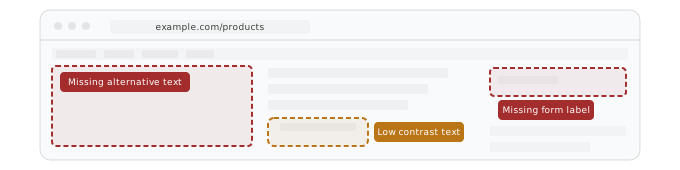
Errors are highlighted directly on top of your live site, so you can see exactly what users experience without switching between tabs or reading through code.

Availability
All editions, all plans

ACAI-powered solution suggestions

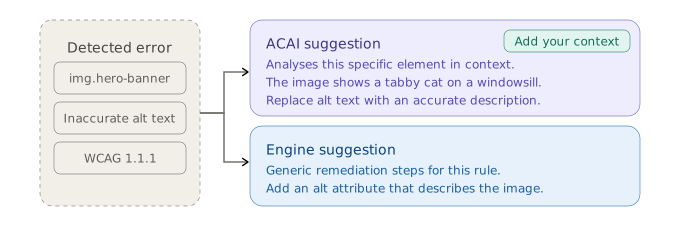
Two levels of fix guidance are available. ACAI analyses the specific element with the error and generates a tailored solution suggestion. You can add your own context and direction to refine the suggestion further. For broader guidance, scan engine-generated suggestions provide generic remediation steps.

Availability
All editions, all plans
Diagram showing two levels of solution suggestions for a detected error. The error context (img.hero-banner, inaccurate alt text, WCAG 1.1.1) branches to two options: an ACAI suggestion that analyses the specific element in context and identifies what the image actually shows, with the option to add your own context, and an engine suggestion that provides generic remediation steps for the rule.

Annotations

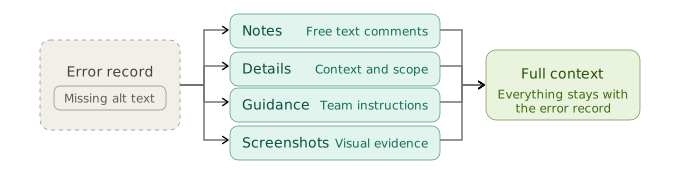
Add notes, details, guidance, and screenshots to any error. Everything stays attached to the error record, so your team always has full context when they pick up remediation work.

Availability
All editions, all plans

Workflow and export

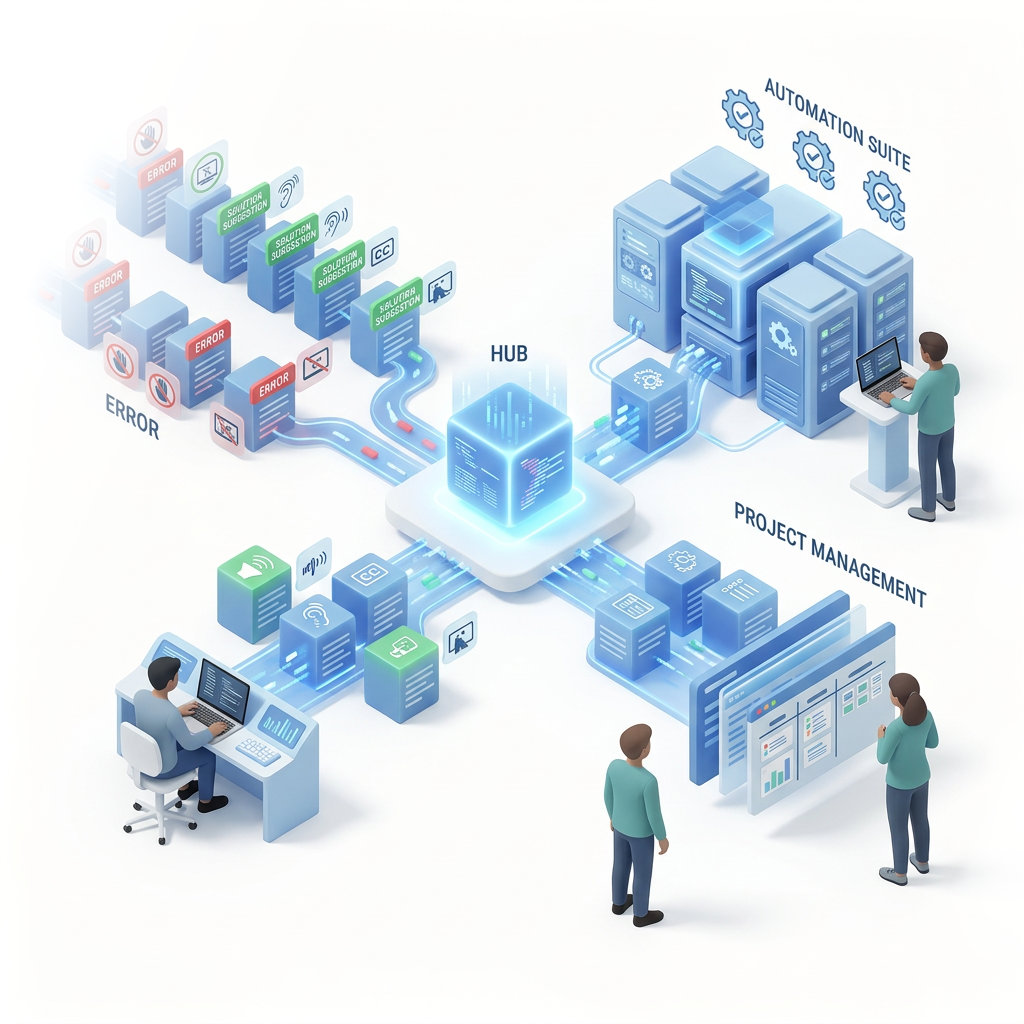
Accessibility testing only matters if errors get fixed. Accessibility Cloud lets you use the project management and automation tools your team already uses, and lets you export your full dataset for reporting and compliance documentation.

Illustration showing a workflow export process centered around ACAI by Accessibility Cloud represented by a glowing cube. On the left, accessibility errors and solution suggestions with icons for touch, vision, hearing, captions, and screen reader flow into ACAI. From ACAI, data is exported in two directions: upward to an Automation Suite shown as server stacks with gear icons where a developer works at a standing desk, and to the right toward a Project Management board with task cards and charts where two team members review progress. A person at a seated workstation on the lower left monitors the incoming errors.

Share errors where your team already works

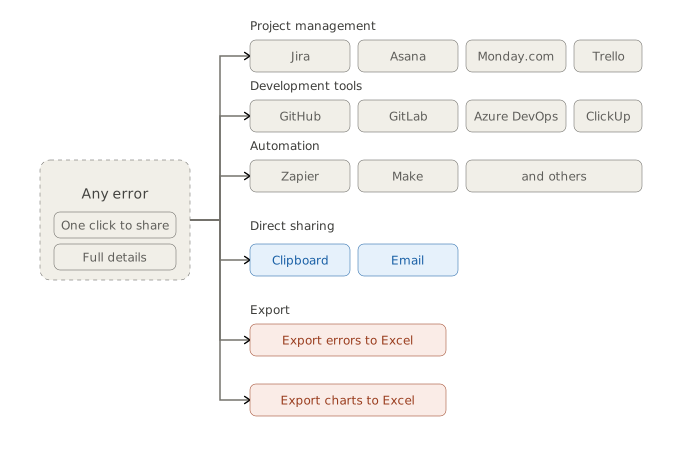
Send individual errors directly to the tools your team uses every day. Copy to clipboard, share via email, or share to Azure DevOps, GitHub, Jira, Trello, GitLab, Asana, Monday.com, ClickUp, Zapier, Make, and others.

No switching between platforms. No copy-pasting error details into tickets. One click from error to task.

Export your data

Export your full error dataset to Excel for reporting, compliance documentation, or offline analysis. Chart contents can also be exported to Excel separately.

Availability
All editions, all plans

Effortless automated mobile app accessibility testing

Add your app and test it in seconds. No codebase access required.

Test mobile apps without needing source code

Automatic mobile app testing is currently in development and will be available soon.

  • Add your appAdd your app directly from the App Store or Google Play. No codebase access or SDK integration required.
  • Scan automaticallyACAI-mobile tests every screen and interaction for accessibility errors in seconds.
  • Get resultsReview errors with solution suggestions, learning material, and best practices.

Manual mobile app testing and auditing is already available in all plans, including our free plan.

Illustration showing acai-mobile installing mobile applications from App Store and Play Store for accessibility testing without needing source code access.

AI (Artificial Intelligence)

AI-driven digital accessibility tests and solution suggestions

AI-generated solution (remediation) suggestions

ACAI can generate solution suggestions based on the actual code of your site which causes the accessibility problem.

In the screen recording, you can observe an example of ACAI finding the problematic element: an input field with no accessible name.

ACAI recognizes that this is a search field and suggests adding a label for it, which will introduce an accessible name “Search” for the previously unnamed input field to fix the accessibility error.

You can direct ACAI for a more suitable solution suggestion by giving it context, preferences and limitations. ACAI-powered solutions suggestions are available on all plans, including our freemium plan Basic.

Automatic Document Accessibility Testing

Document accessibility testing at scale

Document testing

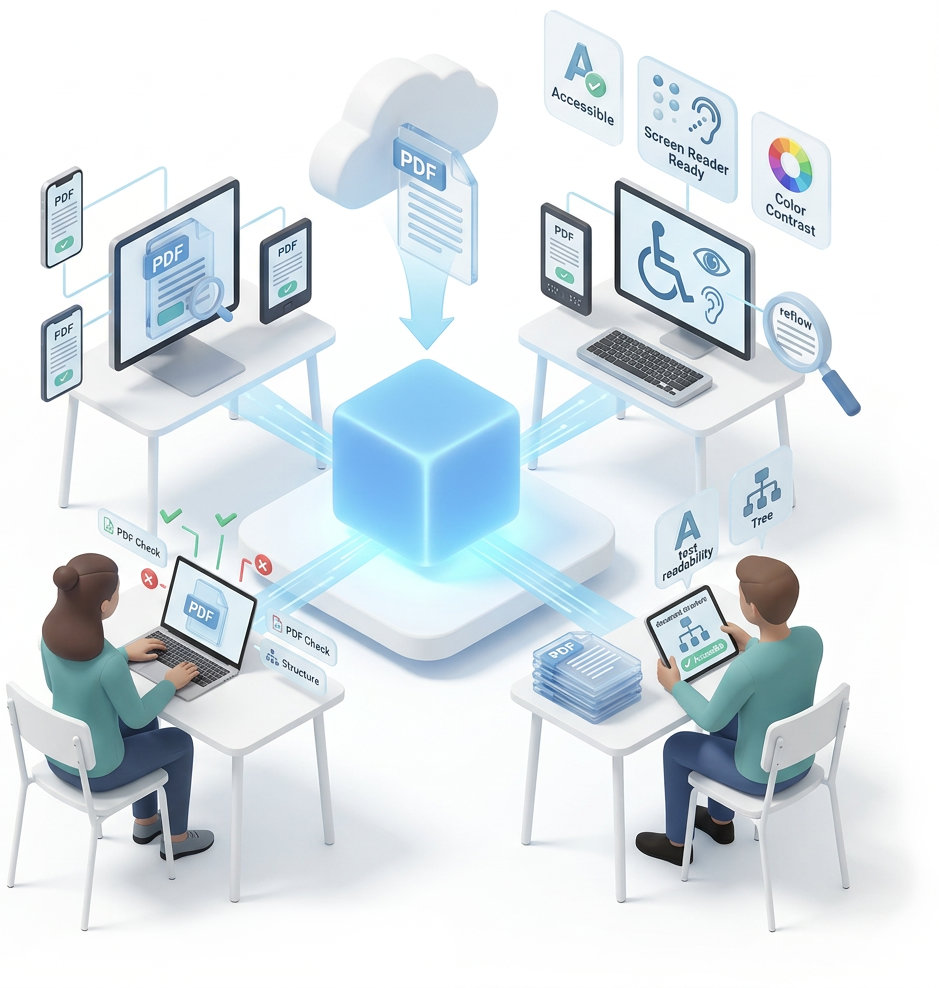
Accessibility Cloud finds and test documents which are linked to your website for accessibility defects and gives you detailed information:

  • File information
  • Accessibility error count
  • Types of errors
  • Violations
  • Disability groups affected
  • Who can fix
  • and more…
Illustration showing PDF accessibility testing through Accessibility Cloud. A PDF document uploads via the cloud into ACAI by Accessibility Cloud.

Monitoring

Truly unlimited accessibility compliance monitoring

Unlimited on-demand accessibility defect scanning

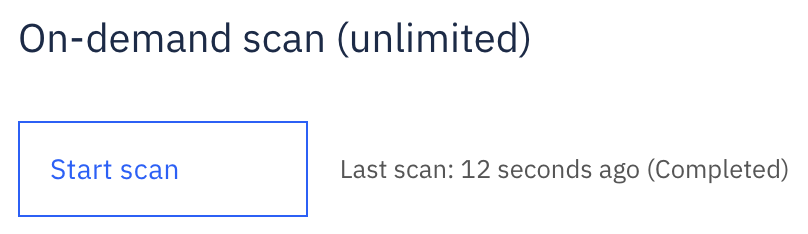
Accessibility Cloud offers unlimited on-demand scanning on all plans. This means you can scan your entire site any time you want, without limits. This feature is possible because of Accessibility Cloud’s hyper-scalable technical infrastructure.

Our public scanners provide unparalleled scanning and monitoring performance, and we deploy new scanners constantly to keep the scanning and monitoring performance high.

With Accessibility Cloud, you can expect to scan between 2,000 to 10,000 pages per hour, on average.

Please note that the performance of scanning and monitoring is directly correlated to how fast we can communicate with your web server.

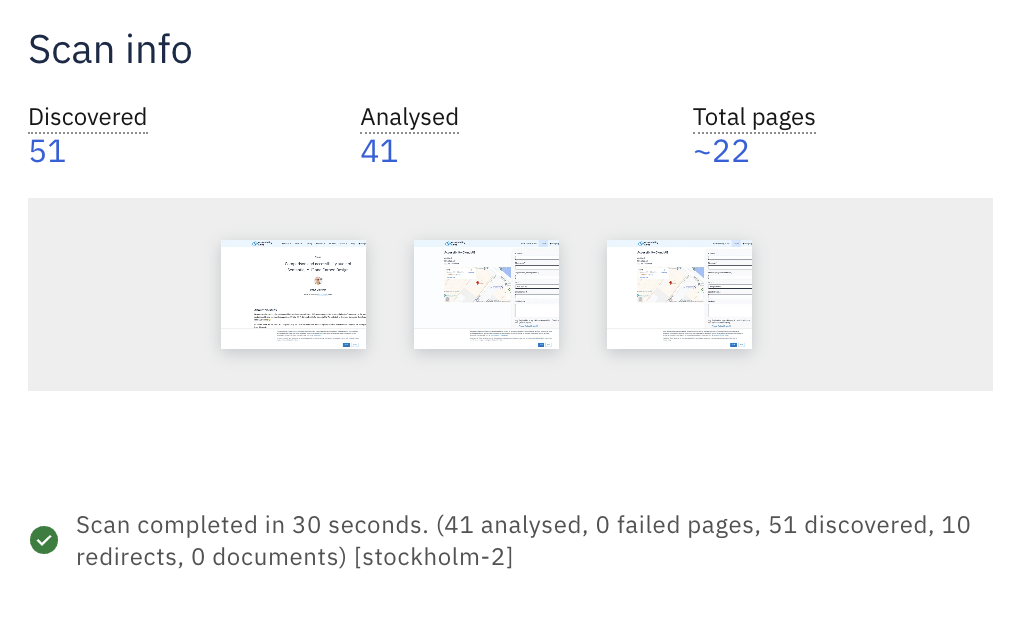
Screenshot of the on-demand scan widget that shows the button to start the process and information about the last scan

Accessibility monitoring

Accessibility Cloud monitors your websites periodically with parameters of your choosing, including query strings, advanced inclusion and exclusions rules which support regex, alternative resolutions, headers, cookies, and more. Accessibility Cloud performs hundreds of tests for your content (web pages & documents) to find non-compliance issues.

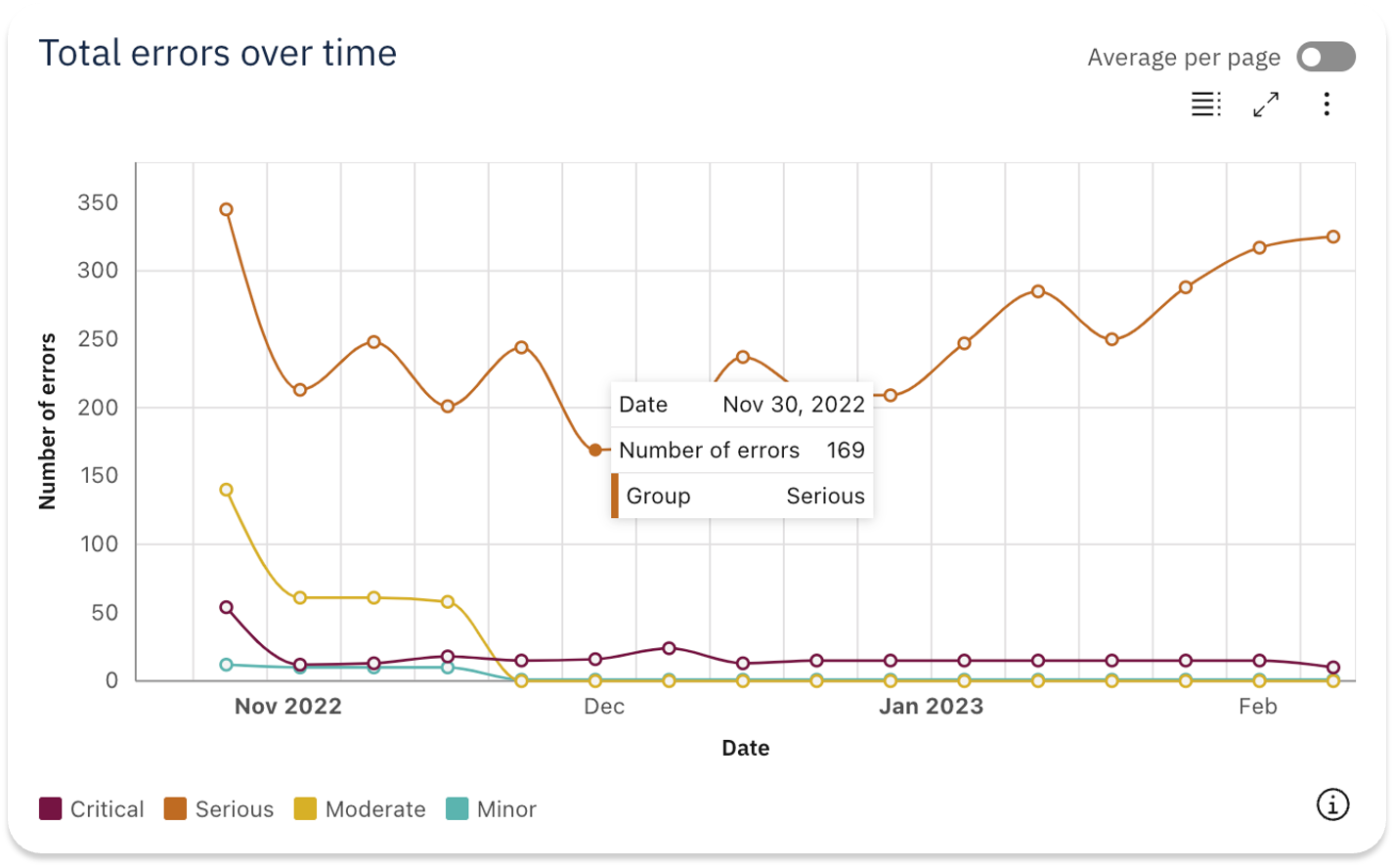
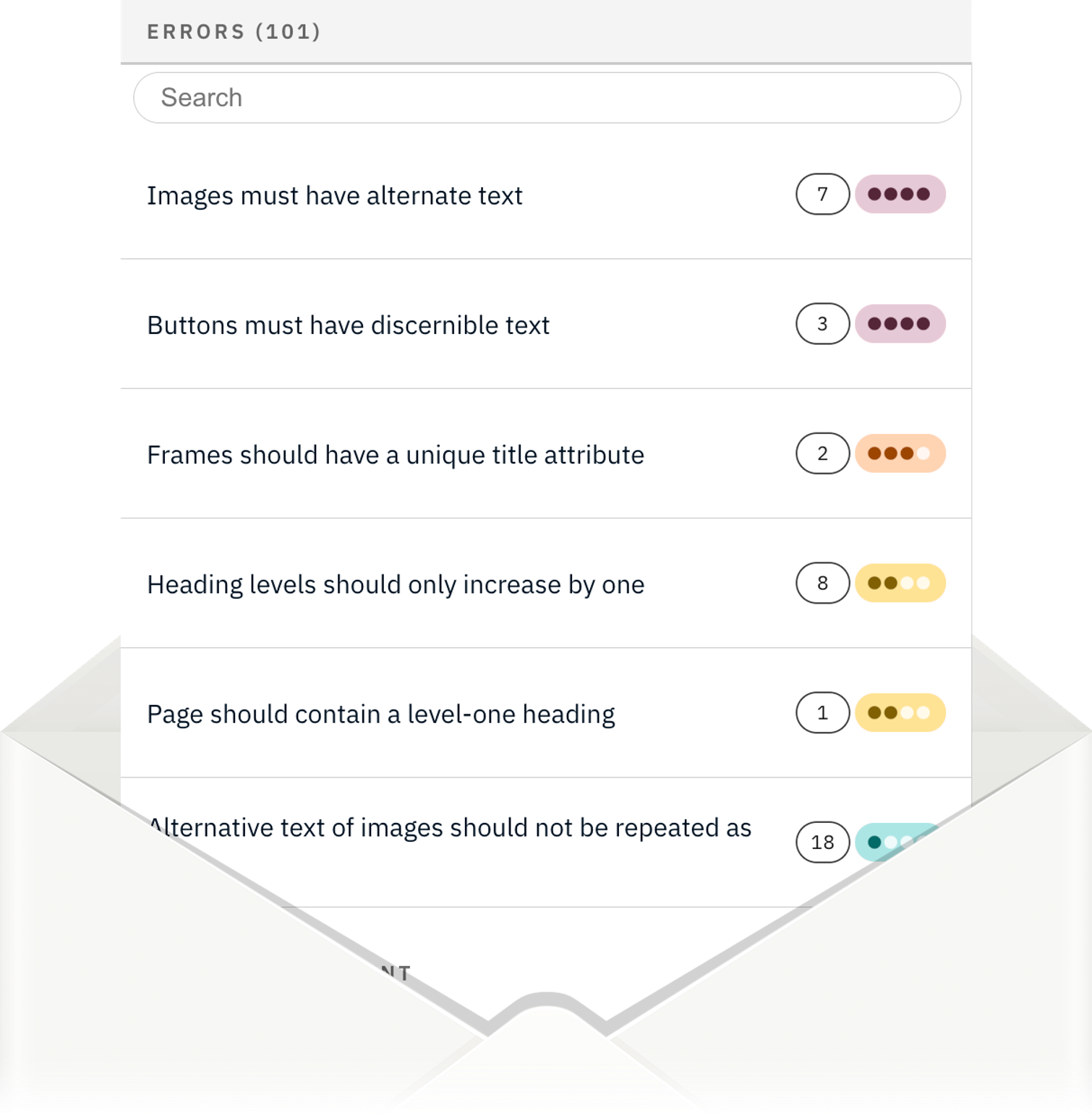
Newly discovered errors, grouped together, made understandable and delivered as an email notification.

Screenshot of Accessibility Cloud's Total errors over time widget showing error count changes over time, grouped by user impact level Graphic showing accessibility errors grouped by user impact levels and presented with occurrence count as a paper, coming out of an envelope

Site Quality

Broken links, unhandled HTTP errors

Quality problems

Accessibility Cloud scans your site for generic quality problems:

  • Broken pages
  • Broken links
  • Incorrect MIME types
  • and more…
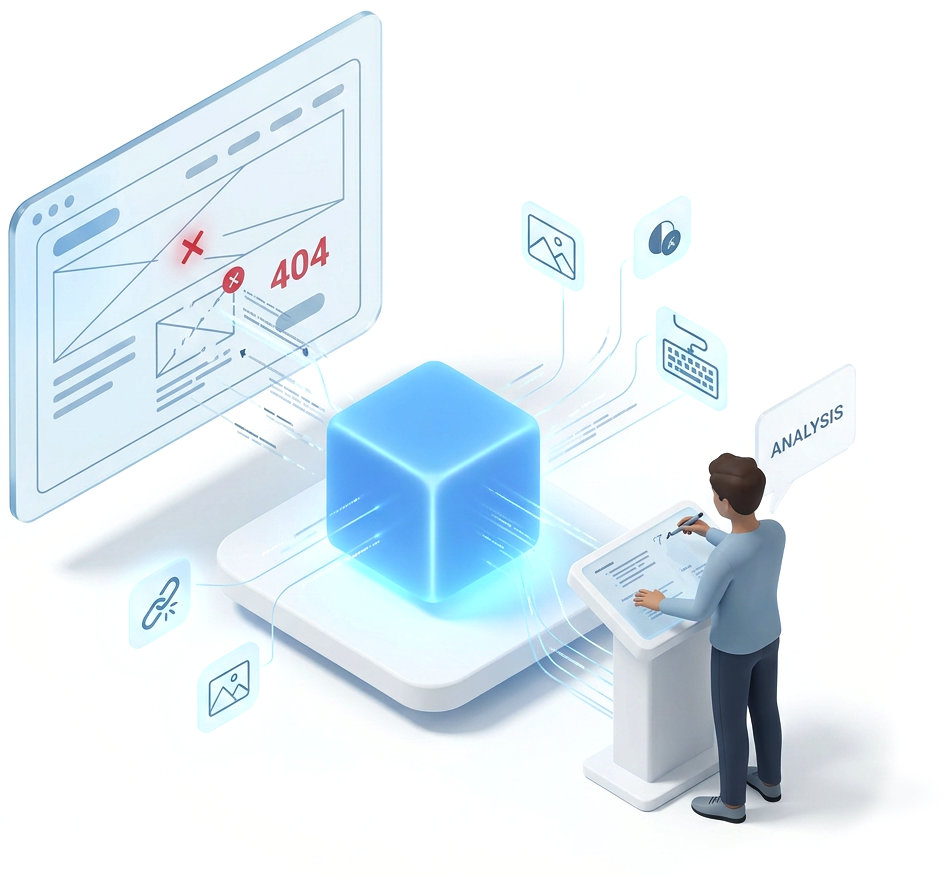
Illustration showing web quality analysis through Accessibility Cloud. On the left, a browser window displays a web page with HTTP errors including a 404 status, and image analysis.

Manual testing / Auditing

Advanced accessibility auditing with pioneering features

EN 301 549. Made easy. Or at least, easier.

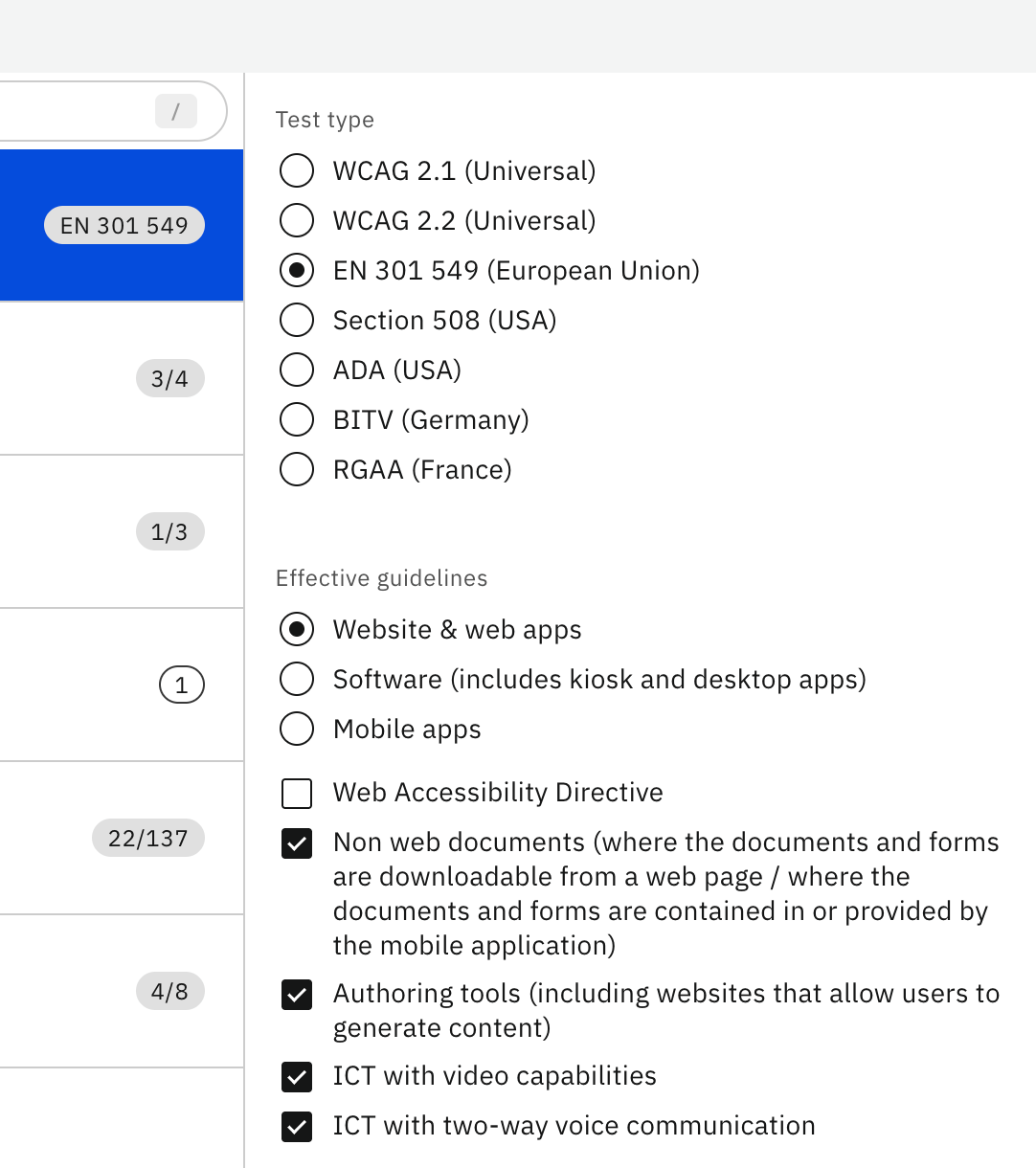
Accessibility Cloud simplifies understanding what needs to be tested for a specific guideline and test medium (website, mobile app, software, or ICT). For EAA compliance on a website, select website & web apps and the success criteria will match Table A.1 of Annex A of EN 301 549. For mobile apps, select mobile app and criteria match Table A.2. You can drill down to include or exclude conditional criteria.

For EN 301 549, supported test mediums include websites, web apps, software, and mobile apps, with conditional criteria for: non web documents, authoring tools, ICT with video capabilities, ICT with two-way voice communication. Extra rules related to the Web Accessibility Directive are also offered.

  • EN 301 549 has 137 success criteria for websites; some can be unselected based on what is tested
  • For mobile apps, 162 success criteria require testing in EN 301 549
  • Automatic assisted auditing features help document accessibility errors uncovered by automatic tests

Information sources

Work smarter, not harder. Let automation test what it can, across one or thousands of pages. Cover the rest with guided testing or manual tests with detailed testing instructions. Combine all information sources with a single click to watch your audit come to life.

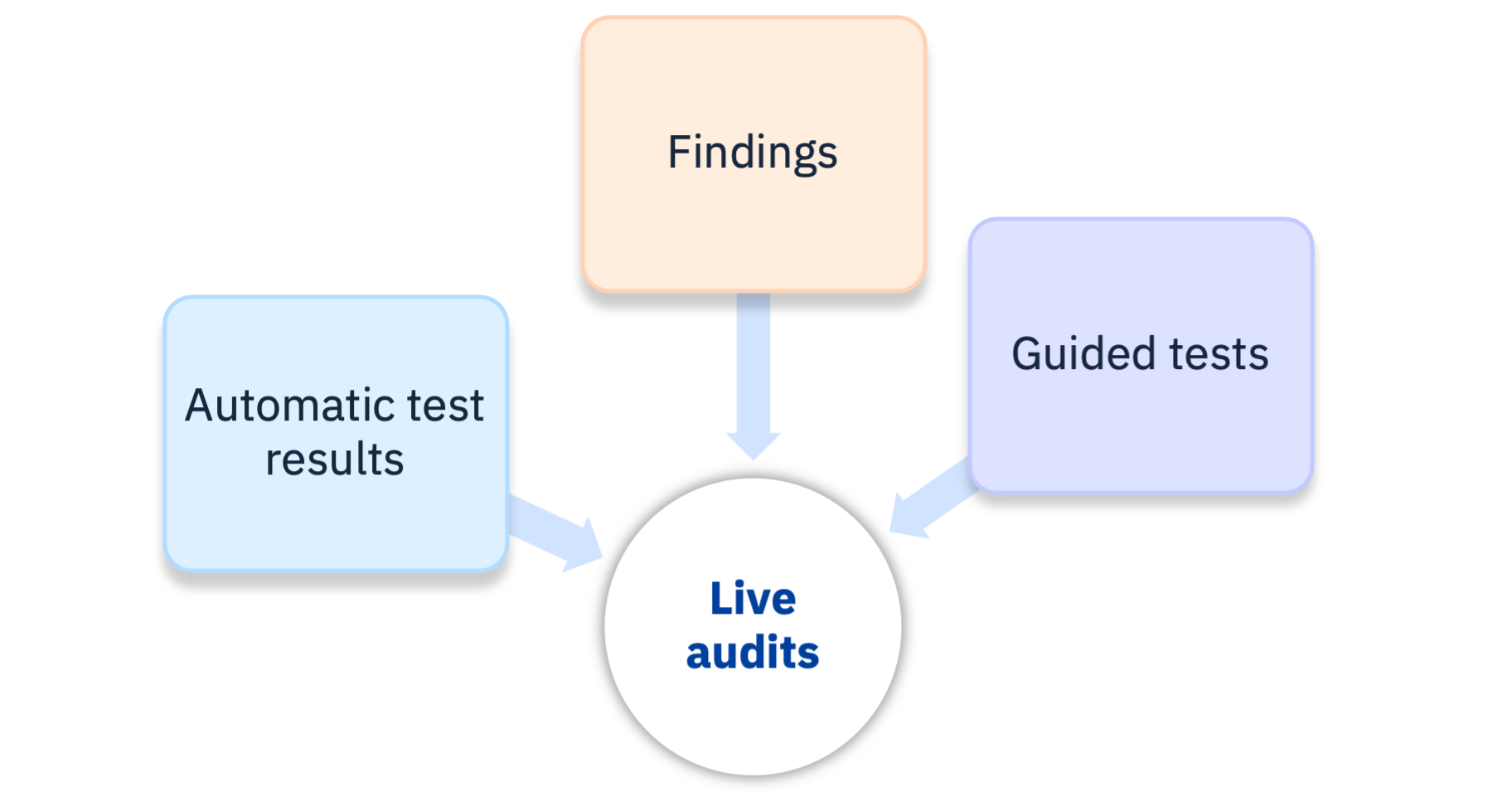
Information sources let you include test results from other sources, enabling benefits like live audits. Sources include: Automatic test results, Findings, and Guided tests. Once activated, results are automatically processed, violations documented, and included in audit reports.

  • Auditors have final say over 'Passed' or 'Failed'; automatic tests only yield 'Cannot tell' for success criteria
  • Documenting defects as individual findings saves time and provides additional side benefits
  • Accessibility Cloud manages relationships between engines, tools, data formats, and guideline associations
Live audits can utilize automatic test results, findings and guided tests

Findings

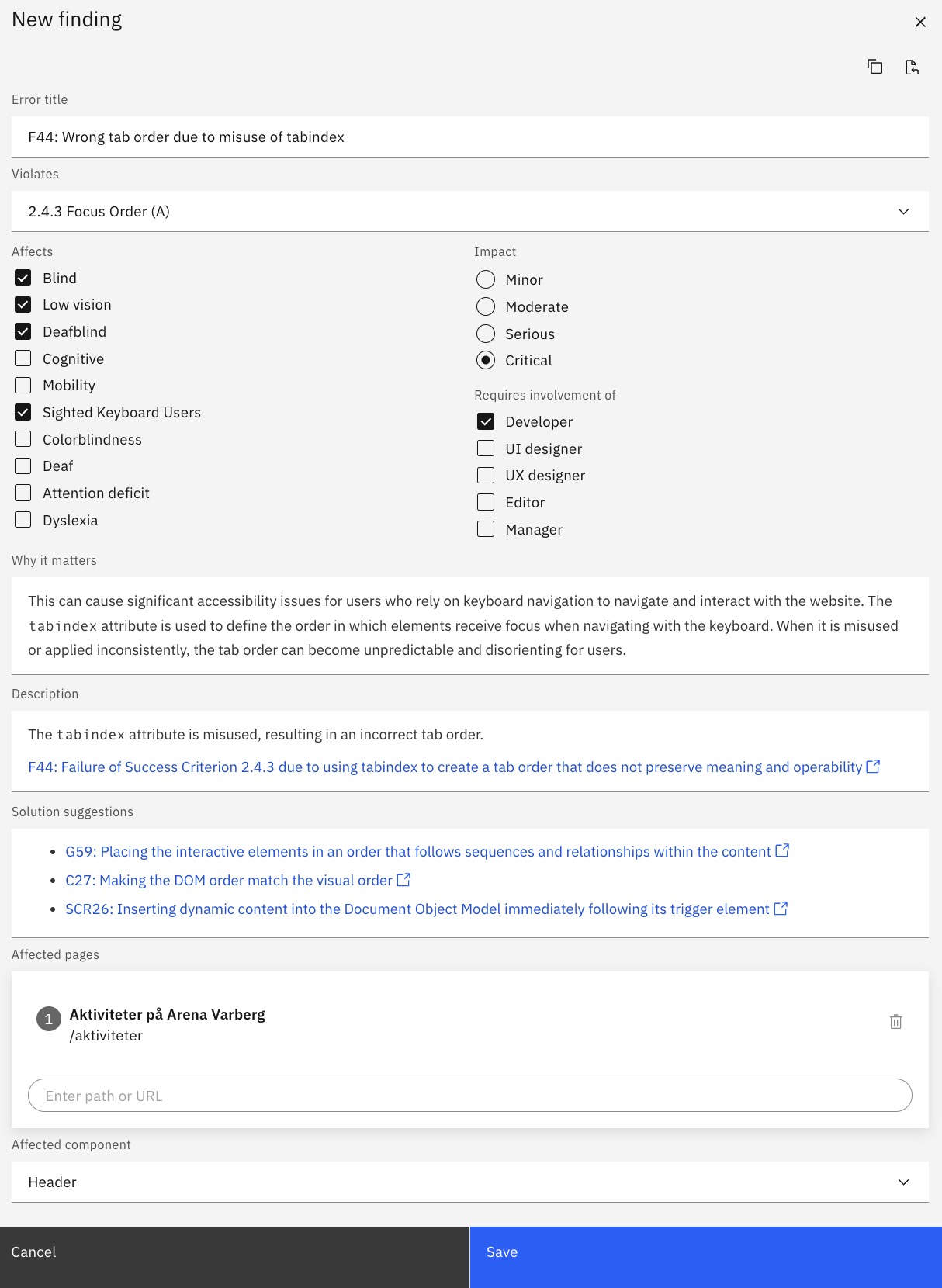
Findings are the backbone of manual accessibility tests. They can be created manually or from automated or guided test results. Findings include a purpose-built snippet library connected to WCAG techniques for failures and solution suggestions, accelerating the authoring process.

  • Created manually or from automatic test results and interactive guided tests
  • Importable to audits; exportable to Excel; shareable with Jira, GitHub, Zapier, and others
  • Usable as a backlog for accessibility defects, supporting workflow between bug trackers and Accessibility Cloud
  • Connected to WCAG techniques and success criteria; associated with pages and/or components
  • Can be copied and pasted between site instances
  • Provides guidance on affected disability groups, user impact, and roles needed for remediation
Screenshot from the new finding creation dialog

Interactive guided testing

Accessibility Cloud currently supports interactive guided tests from Microsoft’s Accessibility Insights for Web.

What is an interactive guided test?

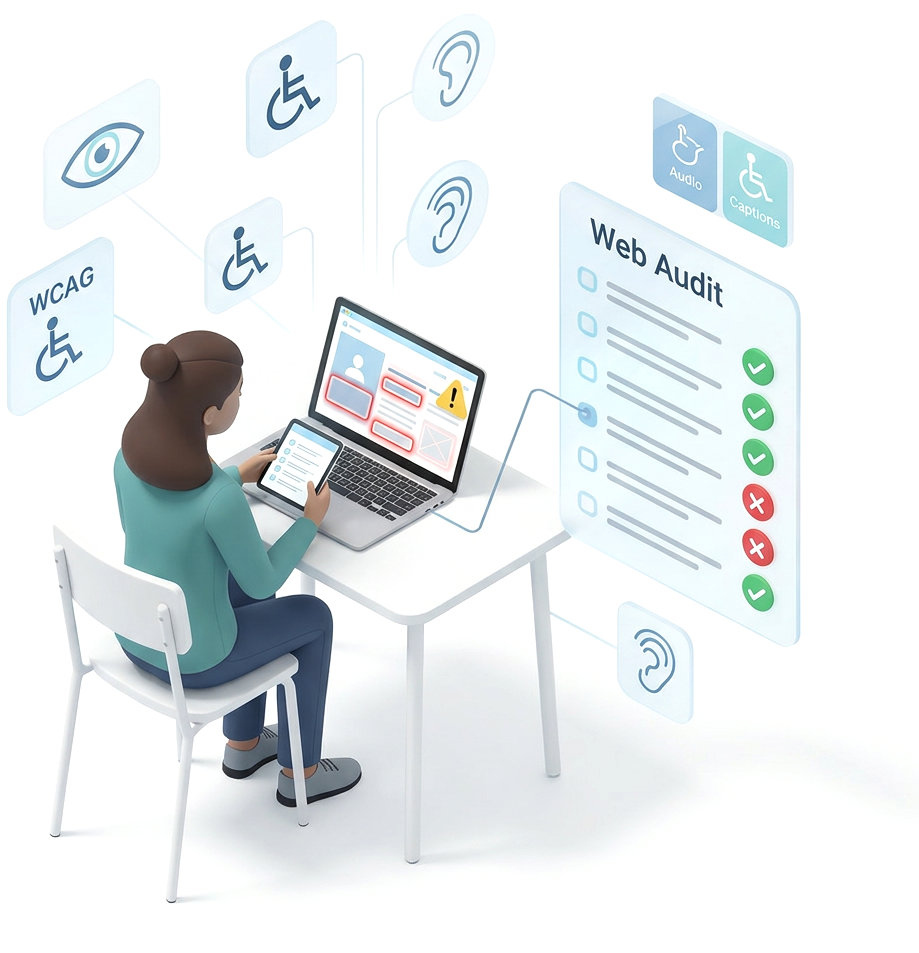
Interactive guided tests are used to report accessibility problems by asking testers a series of simple questions about the page being tested and highlighting components and their values. Testing tools that offer interactive guided tests build test reports based on those answers. Interactive guided tests allow accessibility errors to be caught efficiently without requiring accessibility expertise.

Illustration of an auditor seated at a desk performing an interactive guided test, using a laptop and tablet to visually inspect a web page with highlighted accessibility errors and warning icons. A Web Audit checklist beside her shows items marked with green checkmarks for passes and red X marks for confirmed violations.

Live audits

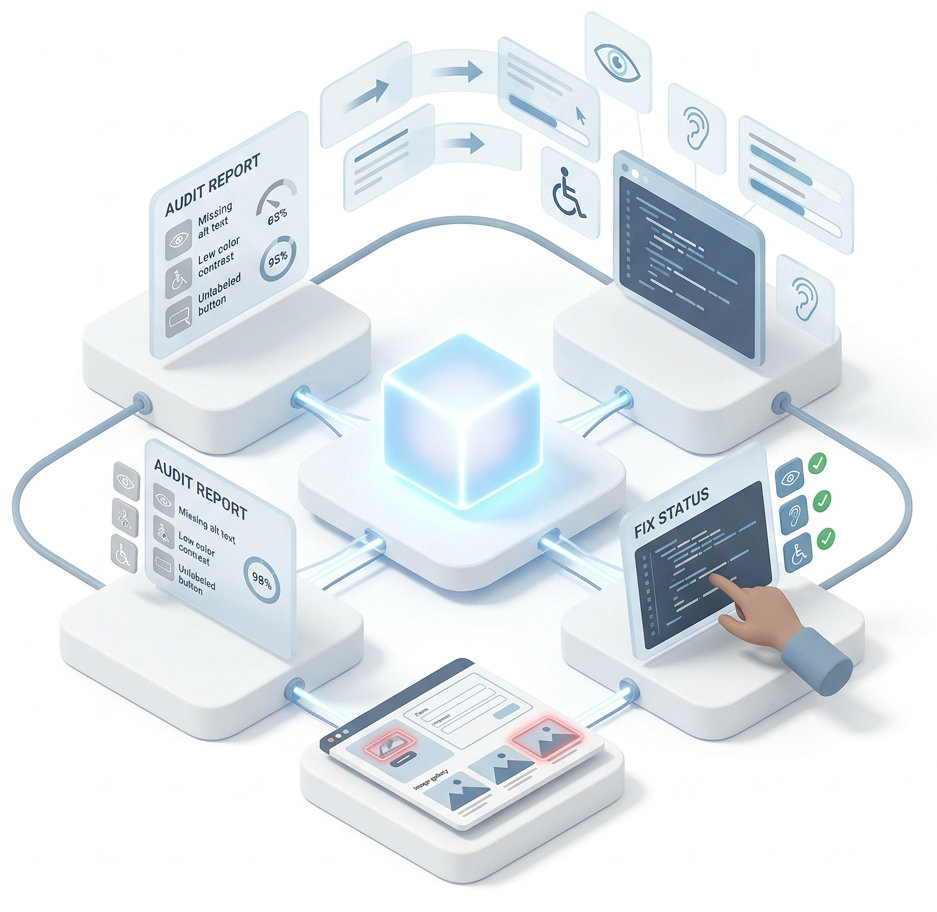
Since information sources are data points elsewhere in Accessibility Cloud, their statuses can be reflected in real-time, enabling a live audit that updates itself as problems are remediated. Resolved findings are removed from reports automatically, keeping conformance levels accurate.

Automatic test results: A fixed error disappears from your live audit after review. Findings: Mark a finding resolved and it disappears from the live audit. Guided tests: Update a guided test and associated violations from the previous version are removed.

Static audits

For those who prefer traditional static audits, that option is also available. Static audits are locked in time and do not update automatically. This is called finalization in Accessibility Cloud and can be found on the audit report.

Illustration showing a live audit workflow where errors reported within the audit gets fixed and disappear from the audit.

Guidelines / standards supported

By using Accessibility Cloud, you can test for the following standards, guidelines, and legal requirements:

  • WCAG 2.1
    • With or without AAA success criteria
  • WCAG 2.2
    • With or without AAA success criteria
  • EN 301 549
    • Website & web apps
    • Software (includes kiosk and desktop apps)
    • Mobile apps
  • BITV
    • With or without WCAG 2.2
  • Section 508
  • ADA (exactly the same as WCAG testing, this is just for reporting purposes)
  • RGAA
Screenshot of the test type selection in Accessibility Cloud's auditing interface

Audits as portable data (import, export, API access, transfers to remote storage systems)

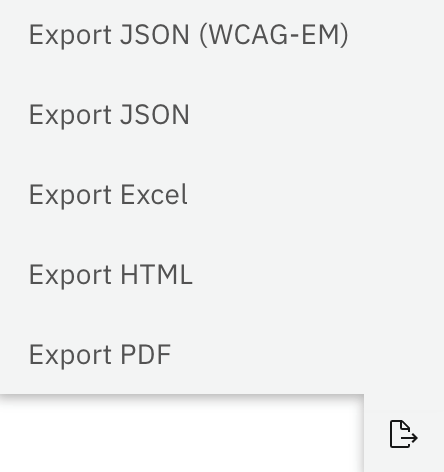
In general, everything everywhere in Accessibility Cloud is exportable and audits are no exception! Formats supported for audits / manual tests:

Import and export:

  • JSON
  • WCAG-EM compatible JSON

Export:

  • Excel (XLSX)
  • HTML
  • PDF

API calls and transfers to remote repositories

Enterprise Edition and Monitoring Agency Edition also support retrieving audits via API calls and automatically transfer them to remote repositories.

Screenshot of the export formats supported (JSON, WCAG-EM compatible JSON, Excek, HTML, PDF)

Automatic sample selection

Accessibility Cloud crawls and tests your entire site or a large number of pages by default. This enables automatic sample selection for audits. The following parameters determine the most important pages and a meaningful, manually testable sample: crawling data, menu structure, accessibility errors discovered, error/occurrence densities, errors' relationship with pages, and more.

Testing instructions

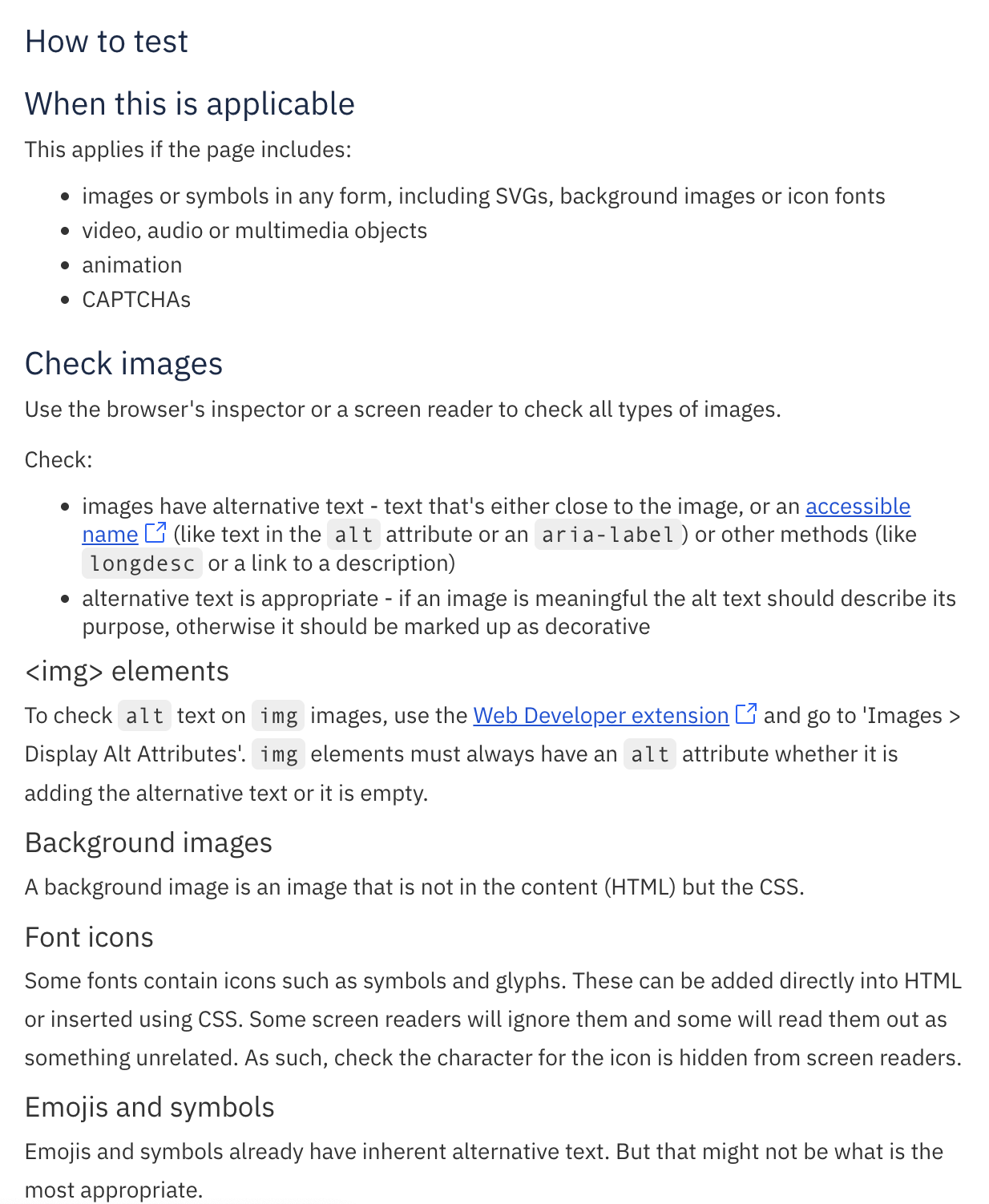
Accessibility Cloud offers detailed manual testing instructions from the open-source resource: WCAG Primer.

Screenshot of testing instructions from WCAG Primer

Custom everything

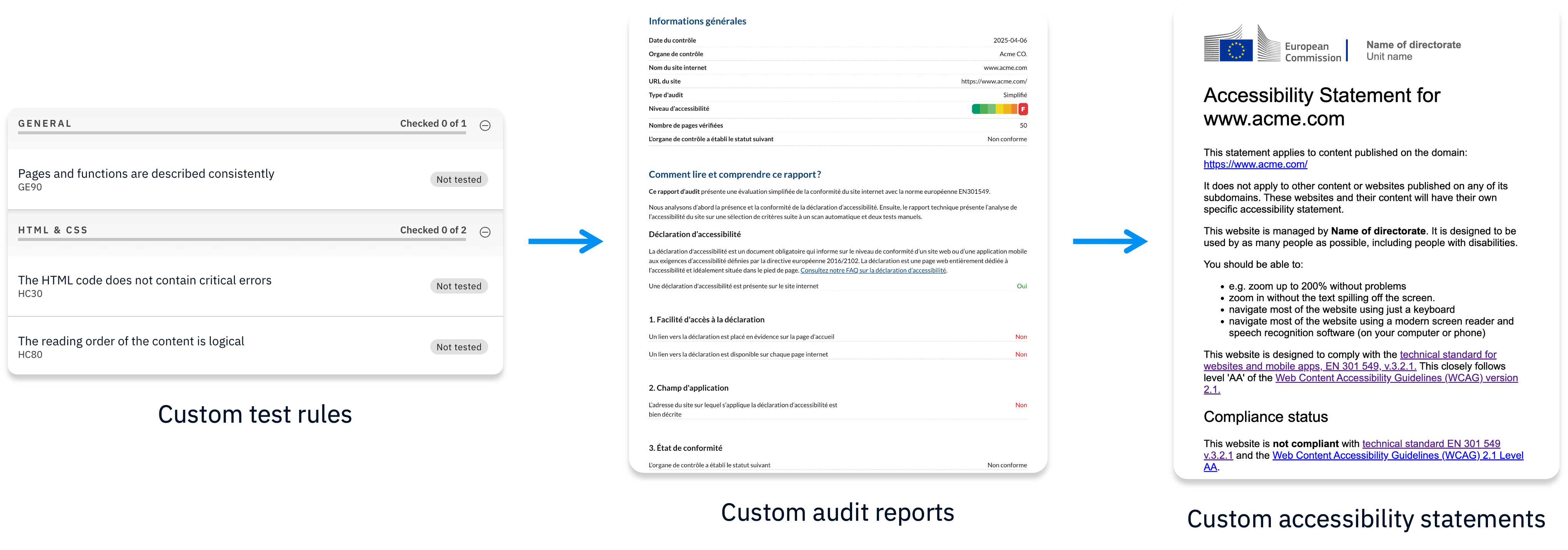
Accessibility Cloud’s advanced editions (Enterprise Edition, Partner Edition, and Monitoring Agency Edition) support complete customizations of all the below:

  • Custom test rules (test against your own rules)
  • Custom outcomes (passed, failed, yes, no, can be improved, anything)
  • Custom report templates

Everything that is customizable also comes with editors that allow modifications by the owners of such content, including all associated information and language variations.

Screenshots of custom test rules, custom audit repors, and custom accessibility statements

Accessibility Cloud AB

Stockholm, Sweden

A digital accessibility technology company

Site governance tools treat accessibility as an afterthought. Overlay vendors promise automated fixes that don’t deliver. Accessibility Cloud offers something different: a platform that combines cutting-edge technology with human expertise, translating deep knowledge of accessibility standards into powerful, practical features.

Built on decades of accessibility experience

Accessibility Cloud’s founders and advisors have spent their careers advancing digital accessibility, and they’ve channeled that expertise into every layer of the platform.

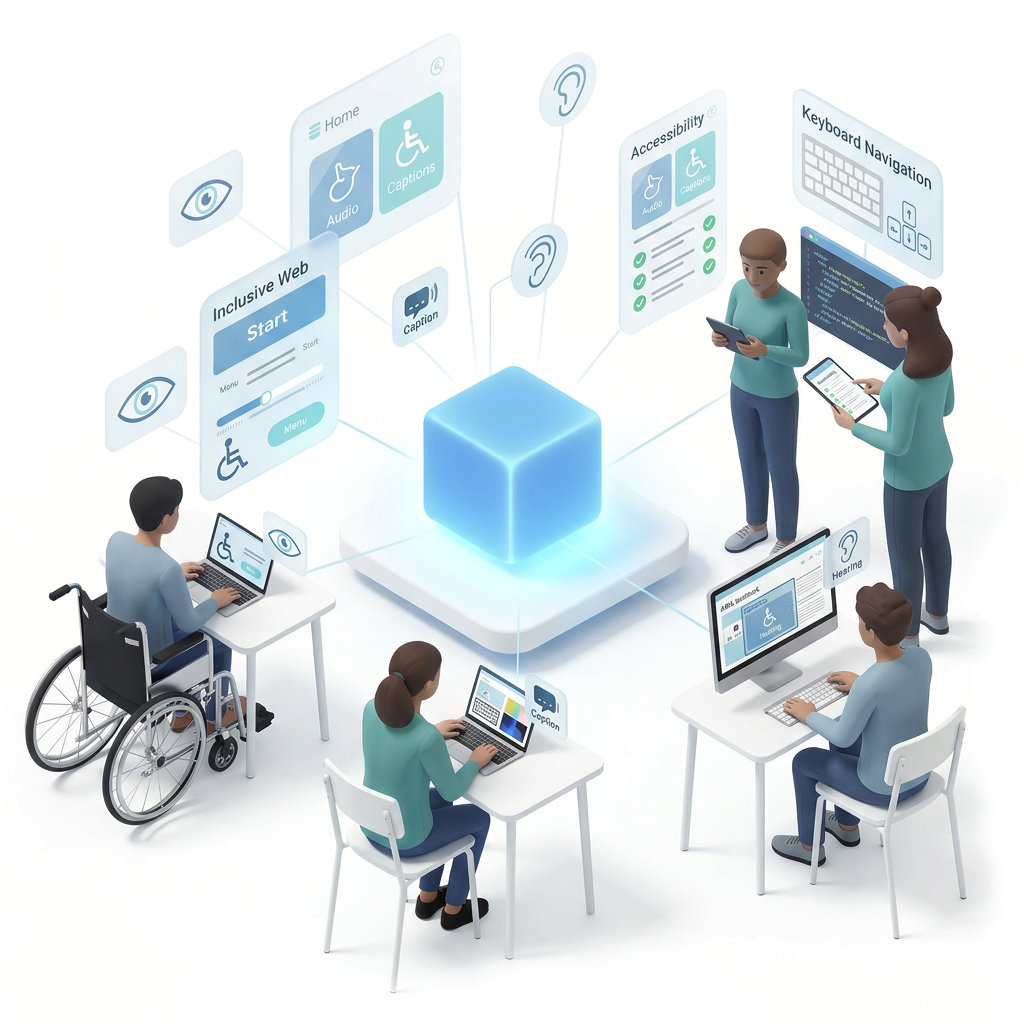
Illustration showing diverse users connected to Accessibility Cloud. Five people work on various devices: a wheelchair user at a laptop with an Inclusive Web interface showing audio, captions, and navigation controls; two standing colleagues reviewing accessibility checklists and code on tablets; a person at a laptop working with color tools and captions; and someone at a desktop monitor labeled ARIA with hearing accessibility features. Surrounding panels display labels for Keyboard Navigation, Accessibility, Audio, Captions, and Hearing, representing the platform's comprehensive approach to inclusive web testing.

About us

We are a software company with deep roots in digital accessibility, headquartered in Stockholm, Sweden.

Our mission is to modernize the accessibility industry by giving organizations smarter, more efficient ways to make compliance and inclusion achievable goals, not aspirational ones.

We focus entirely on our platform. We do not offer consultancy, testing, or training services, and we refer those requests to our trusted partners.

Company information

c/o No18
Nybrokajen 7
111 48 Stockholm

Organization number 559345-6204

Long-exposure photograph of Stockholm at dusk, showing light trails from traffic on Centralbron bridge in the foreground, with Riddarholmen Church's spire and Stockholm City Hall visible in the skyline behind illuminated waterfront buildings under a dramatic cloudy sky.